Thank you for purchasing your new TRENDnet PoE Web Smart Switch!
Please note: The scope of this user's guide encompasses multiple
products with varying features. Images, artwork, and other specificities
including port count, interfaces etc. may not be identical to the model
you purchased. Please consult the specific model specifications for your
unit for a full list of supported features.
Please ensure your switch’s firmware version is V2.10.010 or newer for
Layer 2+ management features. See the Firmware Upgrade section in
this document for additional information regarding the firmware upgrade
procedure.
Contents
PoE Web Smart Switch Series Product Overview ............................................................ i
TPE-082WS Overview ...................................................................................................... i
Package Contents ................................................................................................................. i
TPE-082WS Hardware Features ........................................................................................... i
TPE-1021WS Overview .................................................................................................. iv
Package Contents ............................................................................................................... iv
TPE-082WS Hardware Features ......................................................................................... iv
TPE-1620WS v2 & TPE-1620WSF Overview .................................................................. vii
Package Contents .............................................................................................................. vii
TPE-1620WS/TPE-1620WSF Hardware Features .............................................................. vii
TPE-2840WS v2 Overview .............................................................................................. x
Package Contents ................................................................................................................ x
TPE-2840WS Hardware Features ........................................................................................ x
TPE-5028WS Overview ................................................................................................ xiii
Package Contents ............................................................................................................. xiii
TPE-5028WS Hardware Features ..................................................................................... xiii
TPE-5240WS Overview ................................................................................................ xvi
Package Contents ............................................................................................................. xvi
TPE-5240WS Hardware Features ..................................................................................... xvi
TPE-5048WS Overview ................................................................................................ xix
Package Contents ............................................................................................................. xix
TPE-5048WS Hardware Features ..................................................................................... xix
TPE-30284 Overview .................................................................................................. xxii
Package Contents ............................................................................................................ xxii
TPE-30284 Hardware Features ....................................................................................... xxii
Switch Installation ......................................................................................................... 1
Desktop Hardware Installation ...................................................................................... 1
Rack Mount Hardware Installation ................................................................................ 1







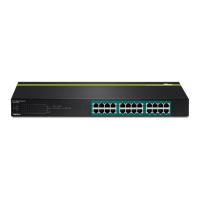
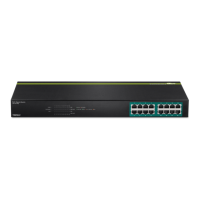

 To Next Page