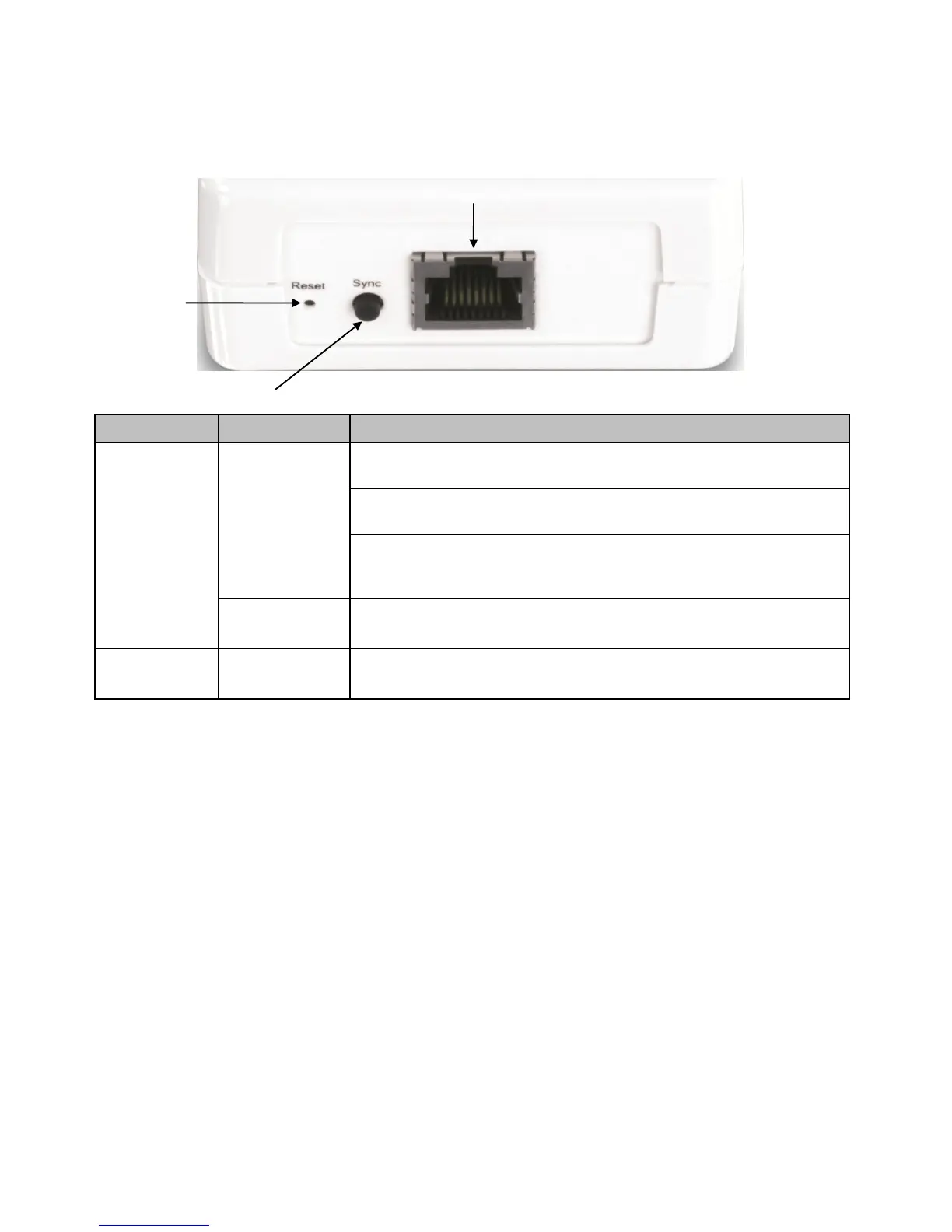
1.6 Ethernet Port
There is one RJ-45 10/100/1000Mbps Auto-MDIX Gigabit Ethernet port, Reset Button, and
Sync Button located at the bottom of the device.
Initiate Sync/Connection and generate random network name/key on first
adapter (PWR LED will start blinking)
Match network name/key on secondary or additional adapter and connect to
first adapter. (PWR LED will start blinking)
Note: The secondary or additional powerline adapter’s Sync button must also be
pushed within 2 minutes (120 sec) of pushing the Sync button of the first adapter
in order to establish connectivity.
Erases the network name/key
(All LEDs will turn off and turn back on)
Reset device to factory defaults (All LEDs will turn off and turn back on)
Note: Will reset to the factory default private network name “HomePlugAV”












 To Next Page