MIMO with Beamforming Technology
Multiple Input Multiple Output (MIMO) Powerline with Beamforming technology uses
live, neutral, and ground wires to increase performance between adapters.
Expandable
Use up to 8 adapters on a single Powerline network
Easy Installation
TRENDnet adapters auto-connect out of the box
128-bit AES Encryption
Powerline communication is protected with 128-bit AES encryption
Note:
* Maximum of 8 adapters (nodes) recommended for streaming video across your
network.
** 1.3Gbps is the maximum theoretical Powerline data rate when connected to another
Powerline 1300 device. Data throughput may vary by circuit wire conditions.
*** Powerline communication works on a single electrical system. (Usually controlled by
a single distribution panel). Power strip, GFCI outlets, and AFCI circuit breakers may
degrade Powerline network signals.
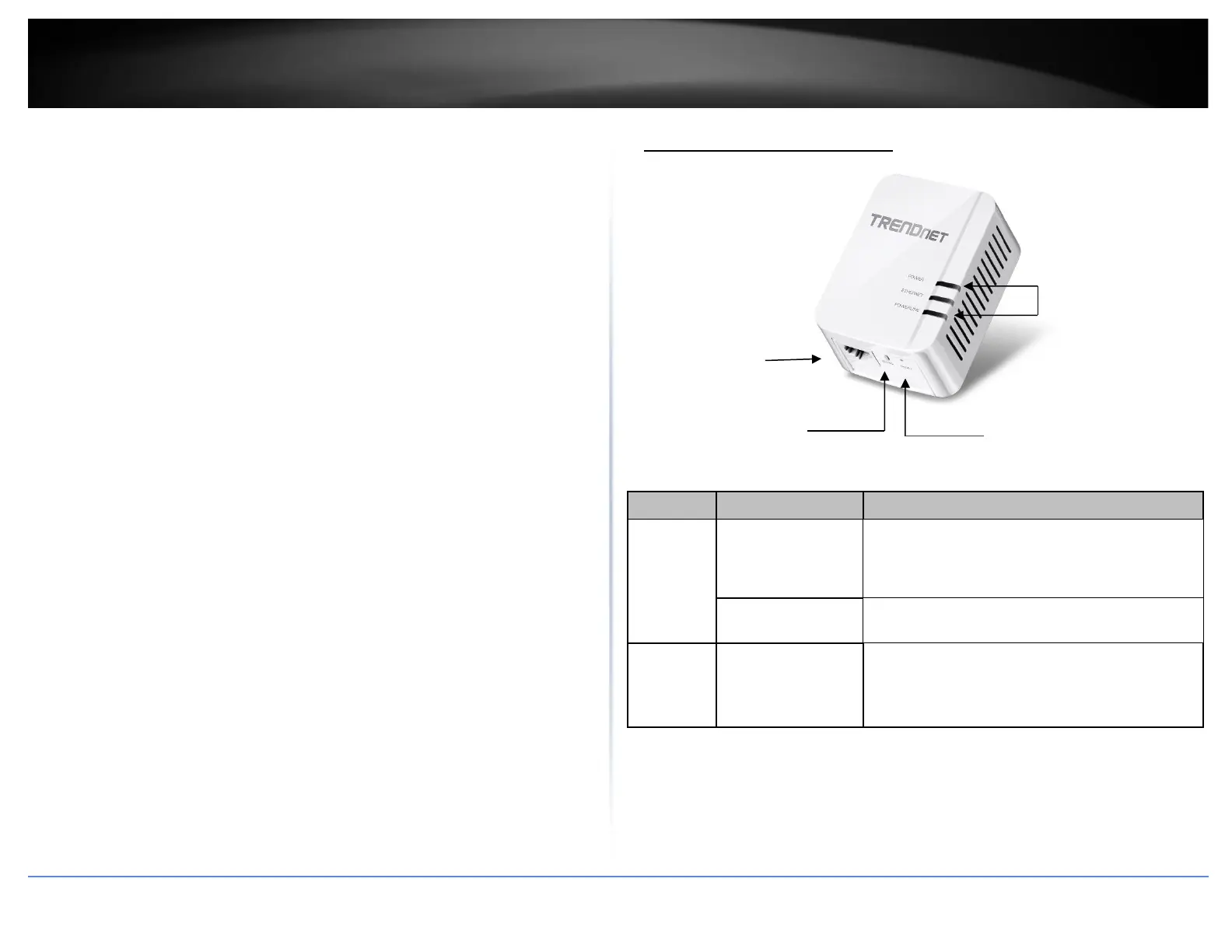
Product Hardware Features
Power Save Mode: The Powerline adapter will automatically going into standby mode
to reduce power usage when there is no network traffic for more than 10~20 minutes.
All LEDs are going off. It can be wake up automatically when the network traffic is
coming again. It will take a couple of seconds to wake up and resume back to full speed
of service.
Begins synchronization session. The POWER LED will
begin to blink for 2 minutes. Press the Sync button on
additional adapters within the time frame to
synchronize to the powerline network.














 To Next Page