EasyManua.ls Logo

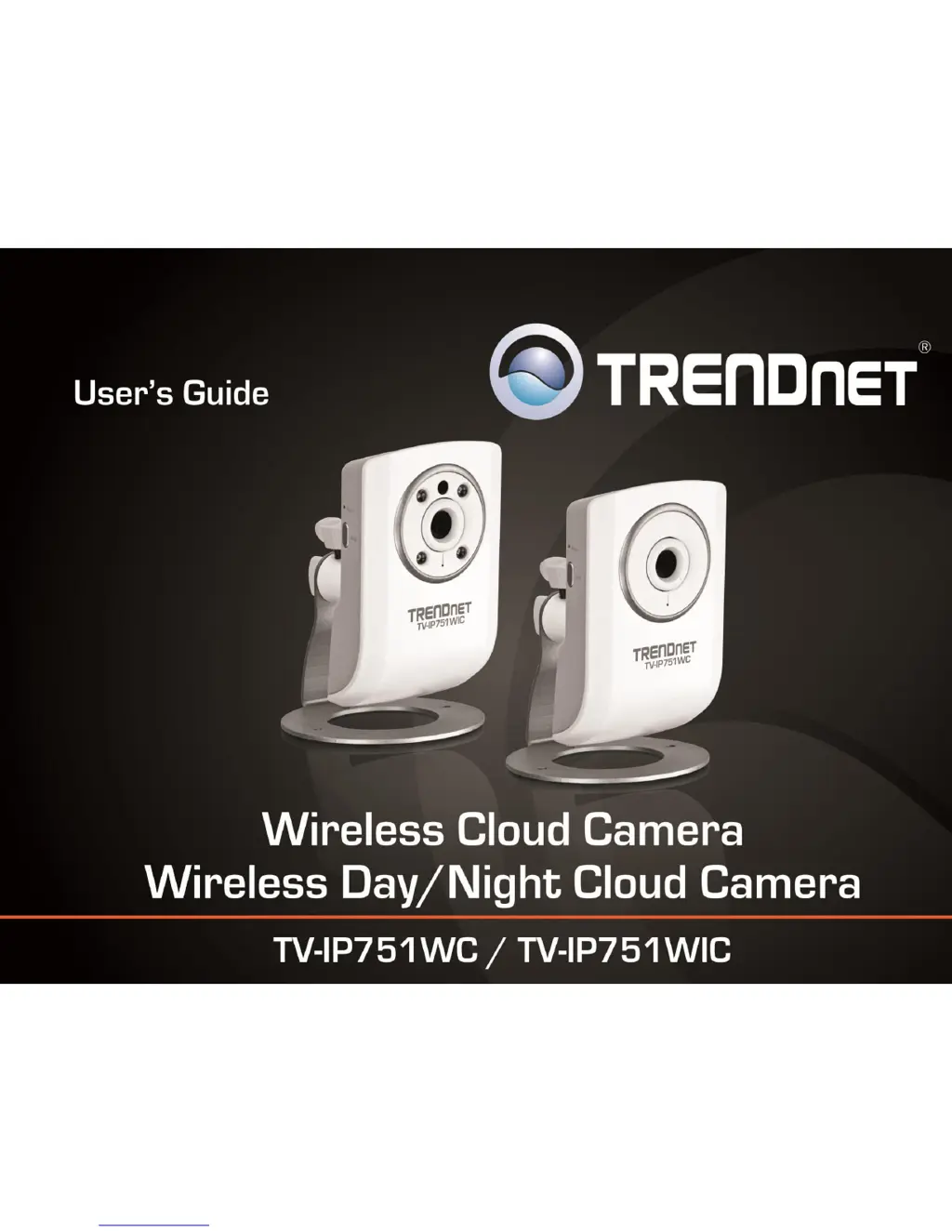
TRENDnet TV-IP751WC - User Manual

TRENDnet TV-IP751WC
45 pages
Print Icon
To Next Page IconTo Next Page
Loading...
TRENDnet Users Guide
Cover Page

Other manuals for TRENDnet TV-IP751WC

Questions and Answers

  • J
    Jeffrey BennettAug 9, 2025
    How to fix poor image quality on TRENDnet TV-IP751WC Security Camera?
    • B
      Billy WareAug 9, 2025
      To resolve the issue of poor image quality on your TRENDnet Security Camera, first, ensure your computer’s display properties are set to at least 16-bit color. If the issue persists, adjust the brightness, contrast, saturation, light frequency, and anti-flicker controls in the Video Settings under the Configuration menu. You might also consider adjusting the camera's resolution and compression rate to enhance the image.
  • S
    Steven Thomas DDSAug 14, 2025
    Why TRENDnet TV-IP751WC images are ‘noisy’?
    • M
      Maria HarrisAug 14, 2025
      If your TRENDnet Security Camera images appear 'noisy', especially in low-light conditions, try enabling Night mode to improve image quality. If the issue persists, relocate the camera to an area with more light.
  • E
    elizabethmccannAug 19, 2025
    What to do if TRENDnet TV-IP751WC can be accessed locally but not remotely?
    • S
      Samuel MayAug 19, 2025
      If you can access your TRENDnet Security Camera locally but not remotely, the cause might be a firewall. Check the Internet firewall settings with your system administrator. The firewall settings may need adjustments to allow external access to the camera from outside your local LAN. Also, ensure the camera doesn’t conflict with any web server running on your network. Finally, verify that your router settings permit external access to the Network Camera beyond your local LAN.
  • T
    Thomas MillerAug 25, 2025
    Why TRENDnet TV-IP751WC can’t be accessed or access is slow?
    • P
      piercedeniseAug 25, 2025
      To address the issue of a TRENDnet Security Camera not being accessed or experiencing slow access, start by checking the network cable. Ping the address of a known device on the network to ensure the cables are functioning correctly. Also, verify that the network device, such as a hub or switch, used by the camera is properly powered and functioning correctly.
  • A
    Adam TaylorAug 29, 2025
    How to troubleshoot TRENDnet TV-IP751WC Security Camera when the Power LED and Ethernet Activity LED do not light up?
    • J
      Jennifer BrewerAug 29, 2025
      If the Power LED and Ethernet Activity LED on your TRENDnet Security Camera do not light up, first, check the connection to both the power source and the terminal on the back of the camera to ensure they are secure, and confirm that you are using the provided power supply. If the camera functions correctly otherwise, the LEDs might be disabled in the configuration.
  • S
    Sharon JamesSep 3, 2025
    Why white vertical lines appear on the image from TRENDnet TV-IP751WC?
    • J
      Jamie ByrdSep 3, 2025
      If white vertical lines appear on the image from your TRENDnet Security Camera, it's possible the CMOS sensor has been overloaded due to exposure to bright lights, such as direct sunlight or halogen lights. Immediately reposition the Network Camera into a more shaded area, as prolonged exposure to bright lights will damage the CMOS sensor.

TRENDnet TV-IP751WC Specifications

General IconGeneral
Video Resolution1280 x 720
Camera TechnologyIP
Lens TypeFixed
Night VisionYes
Mobile AccessYes
Frame Rate30 fps
Field of View60°
ConnectivityWireless
Image Sensor Size1/4 inch
ProtocolsHTTP, TCP/IP, UDP, SMTP, FTP, DHCP, DNS, DDNS, UPnP, RTSP, RTP, RTCP, IGMP, ICMP, ARP, QoS, IPv4, PPPoE, NTP
Ethernet Port1
Operating Temperature0°C to 40°C

Related product manuals