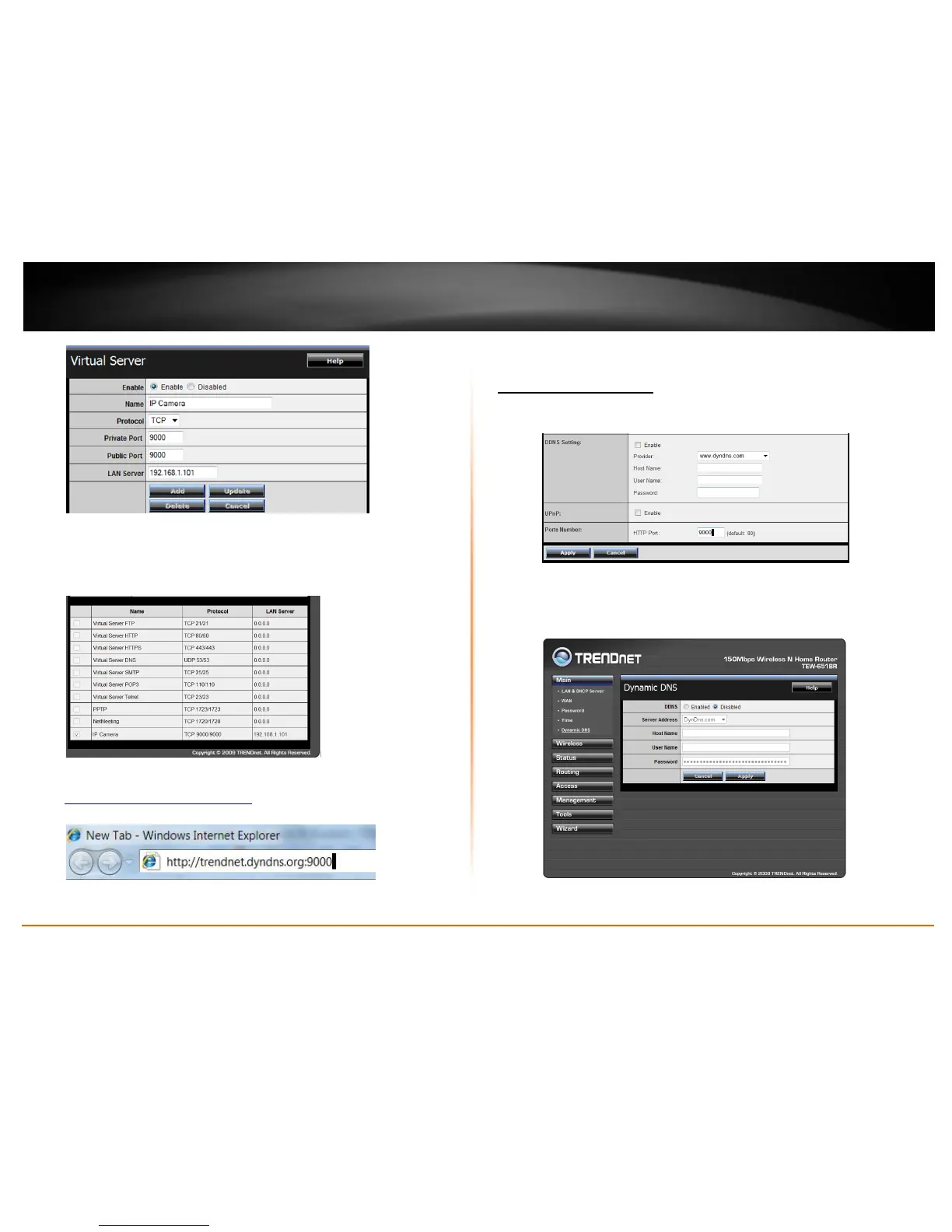
Then click Add to add the application.
* Please refer to your router’s user’s manual for detail Virtual Server setting.
Some router might use Port Forwarding or Special applications for this
function. The setup steps should be very similar.
6. Open another web browser and enter your DDNS domain and camera’s port
number.
http://yourDomainName:PortNumber
7. Camera’s login page will appear.
Configure DDNS on your router
1. Go to Camera’s DDNS Ports Number section, assign a HTTP port for your
camera and click Apply.
2. Login to your router’s web configuration page.
3. Find the Dynamic DNS configuration section.



 To Next Page