EasyManua.ls Logo

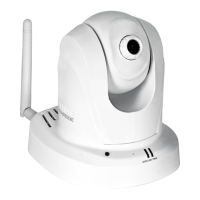
TRENDnet TV-IP851WC - User Manual

TRENDnet TV-IP851WC
51 pages
Print Icon
To Next Page IconTo Next Page
Loading...
TRENDnet User’s Guide
Cover Page

Other manuals for TRENDnet TV-IP851WC

Question and Answer IconNeed help?

Do you have a question about the TRENDnet TV-IP851WC and is the answer not in the manual?

Summary

Product Overview and Hardware

Product Features and Package Contents

Details the features of the TV-IP851WC/TV-IP851WIC cameras and lists package contents.

Hardware Features and Application Diagram

Describes the camera's physical components and provides a network application diagram.

Camera Installation and Network Setup

Camera Installation Options

Explains wired, WPS, and wall mount installation procedures for the camera.

Guided Camera Installation

Step-by-step guide for installing the camera using the provided software wizard.

Wireless Network Connection

Instructions for connecting the camera to a wireless network, including WPS.

Mobile App Integration

Guide for downloading and using the TRENDnet CloudView mobile application.

Camera Configuration and Operation

Web Interface Access and Video Viewing

How to access the camera's web interface and view live video streams.

System, Network, and Wireless Settings

Configuration options for system status, network, and wireless connectivity.

Advanced Settings: Date;Time and Motion Detection

Configuration for camera date/time synchronization and motion detection.

Upload, Email, and Tools

Settings for uploading files, email notifications, and camera maintenance tools.

Remote Access, Specifications, and Troubleshooting

Remote Access Setup via DDNS

Instructions for configuring Dynamic DNS for remote camera access.

Technical Specifications

Detailed technical specifications for the camera models.

Troubleshooting Common Issues

Addresses common problems like LEDs not lighting, slow access, and image quality issues.

Summary

Product Overview and Hardware

Product Features and Package Contents

Details the features of the TV-IP851WC/TV-IP851WIC cameras and lists package contents.

Hardware Features and Application Diagram

Describes the camera's physical components and provides a network application diagram.

Camera Installation and Network Setup

Camera Installation Options

Explains wired, WPS, and wall mount installation procedures for the camera.

Guided Camera Installation

Step-by-step guide for installing the camera using the provided software wizard.

Wireless Network Connection

Instructions for connecting the camera to a wireless network, including WPS.

Mobile App Integration

Guide for downloading and using the TRENDnet CloudView mobile application.

Camera Configuration and Operation

Web Interface Access and Video Viewing

How to access the camera's web interface and view live video streams.

System, Network, and Wireless Settings

Configuration options for system status, network, and wireless connectivity.

Advanced Settings: Date;Time and Motion Detection

Configuration for camera date/time synchronization and motion detection.

Upload, Email, and Tools

Settings for uploading files, email notifications, and camera maintenance tools.

Remote Access, Specifications, and Troubleshooting

Remote Access Setup via DDNS

Instructions for configuring Dynamic DNS for remote camera access.

Technical Specifications

Detailed technical specifications for the camera models.

Troubleshooting Common Issues

Addresses common problems like LEDs not lighting, slow access, and image quality issues.

TRENDnet TV-IP851WC Specifications

General IconGeneral
BrandTRENDnet
ModelTV-IP851WC
CategorySecurity Camera
LanguageEnglish

Related product manuals