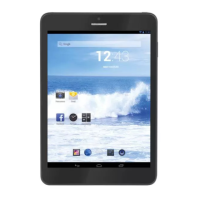
TAB 8 C4
24
Click , Then the device can transmission data with PC.
Note:ThedevicealsosupportstheFAT32formatforexternaldevices,forexampleUdisk,
Micro SD card to Transfer data.
BOTTOM BAR OF THE INTERFACE
A.WIFIsignalstatusicon:IfconnectedtotheWIFIwirelessnetwork,theiconwillbedisplayed
B. OTGconnecticon:IfthedeviceconnectedtothePC,willshowtheOTGconnectedicon.
C.Timedisplay:Displaythetimeofthecurrentsystem,whichhasbeenset.
D. Batterystatusicon:Displaysthecurrentbatterylevelandthechargingstatus.E.Menu,
Home, Back, virtual buttons
The HOME Screen menu
Press the menu icon on the device, it will display a home screen menu .
Wallpaper:Userscanreplacethewallpaperwithyouwishes.Manageapps:Itcanquickly
open a list of all applications.
SystemSettings:Fastaccesstosystemsettings,usercanchoose“Wireless&networks”,
“Display”, “Date & time” etc, for personalized settings.
Desktop
When sliding around with your finger to switch the main screen, the desktop fixed on the
main screen, will not move. User could drag the application icon placed on the desktop
area in the main screen.
BASIC OPERATION
Click the “Settings” icon in the main applications area, you can open the system
setting interface.
Selecttheappropriateoperationoftherelevantitems,suchas:wirelessandnetwork,
Display, date and time settings, about Device, etc.
Date and time settings:
Click“Date&time”toentertheDateandtimesettingsinterface:
Select to set the date, select the time zone, set the time, time format, date format and
other information.
Select+:thattheincreaseof1unit.
Select-:thatthereductionof1unit.
ITALIANO
ENGLISH


 To Next Page