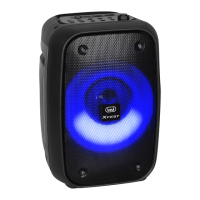
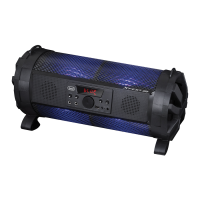
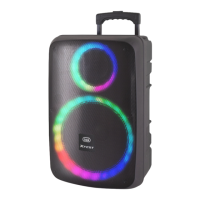
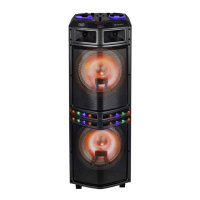
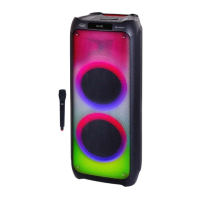
XR 8A01
English
CHARGE THE DEVICE
UNIT
The unit must be recharged when switched off.
1. Using the supplied cable, connect the side with the C-type socket to the socket (9)
of the speaker and the other end to the USB port of a USB power supply (5V
1A not included);
2. The Led indicator (10) will turn on (red) to indicate the recharging function.
When fully charged, it will turn off.
Note: when the battery is running low, the device will emit a beep a few times before turning
off automatically.
MICROPHONE
The microphone must be recharged when switched off.
1. Using the supplied cable, connect the side with the C-type socket to the socket (16)
of the speaker and the other end to the USB port of a USB power supply (5V
1A not included);
2. The Led indicator (15) will turn on (red) to indicate the recharging function.
When fully charged, it will turn off.
BASIC OPERATION
ON/OFF
To switch On and Off the unit, press and hold (3) button for a few seconds.
To switch On and Off the microphone, press and hold the key (11) for a few seconds.
Note: In BT and AUX IN mode, if there is no operation within 15 minutes, the unit will turn
off automatically; to reactivate it, hold down the (3) button for a few seconds.
VOLUME ADJUSTMENT
Adjust the speaker volume using the +(1) and -(2) keys on the device.
Adjust the microphone volume using the +(12) and -(13) keys on the microphone.
BLUETOOTH OPERATION
Pairing to devices:
1. Place the speaker close to the Bluetooth device to pair;
2. Switch On the device and select the Bluetooth function using the M(5) key;
3. Follow the instructions of your external device to search for the speaker;
4. Search and pair the speaker named “XR 8A01”;
5. Oncepairingissuccessful(youwillhearaconrmationtone)itwillbepossible
play music tracks.
Note: When Bluetooth pairing with external devices fails, delete another one Bluetooth device in
the connection list; restart the Bluetooth speaker and search for signal again.



 To Next Page