USB
SPDIF
HDMI
2-CH AUDIOOUT
L
R
CO
Quick Guide
Initial installation overview
Preparation
1 2 3
Watch TV
Run the
Initial Settings
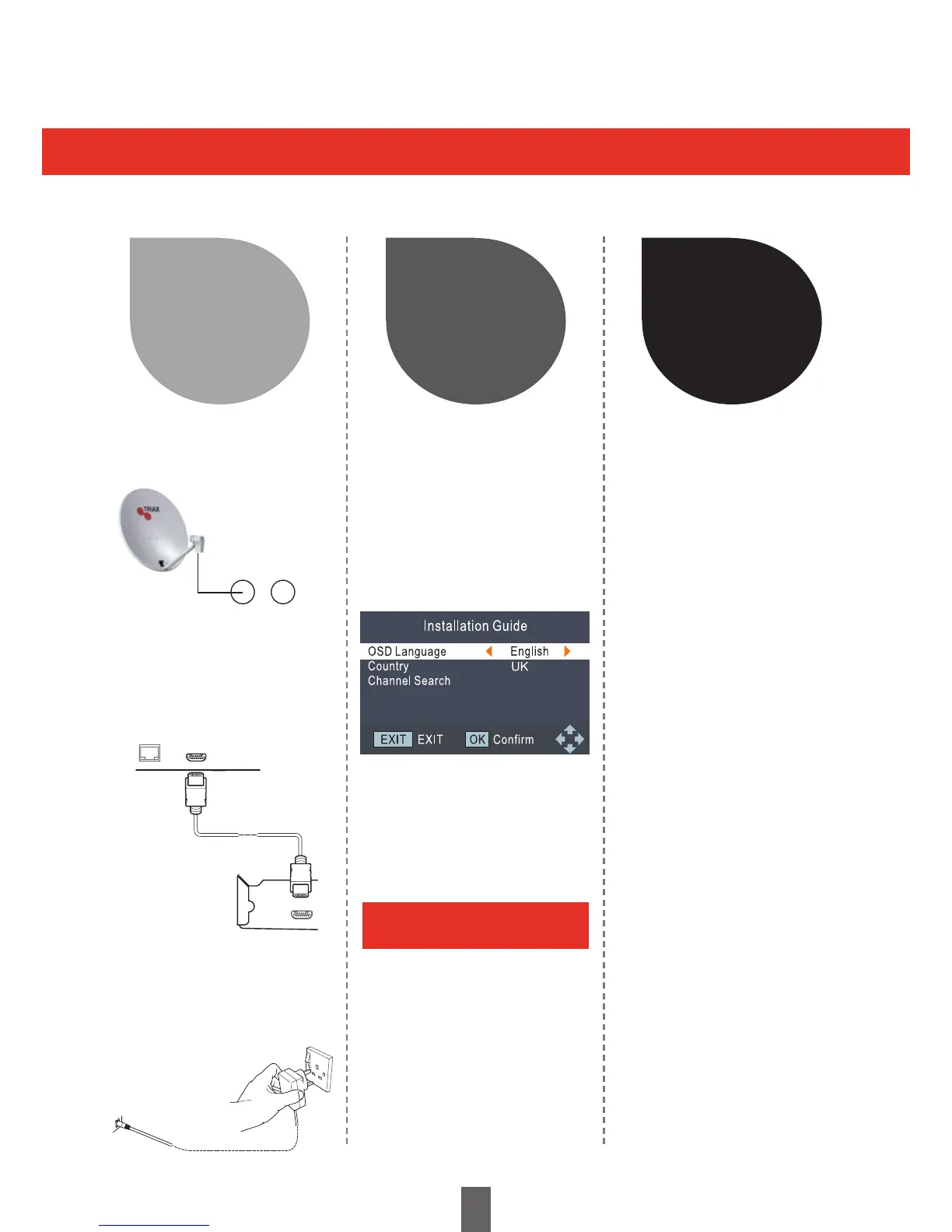
1 Connect the Satellite
cable to LNB IN
1 Turn on the standy button
on the Receiver
1 Congratulations!
You can now watch TV
2 If neccessary, adjust
the satellite to obtain
maximum signal
reception
2 Run the installation guide
Ensure the satellite
cable is connected
Press OK to continue, then
press the Blue button
followed by OK to scan
the default settings
Start Searching Channels
2 Connect the Receiver
to your TV using the
supplied HDMI cable
3 Connect the Mains Plug
to the Mains socket and
switch socket on.
Follow the steps below one by one when using the Receiver for the rst time
You will receive a message
when installation is complete.
OPTICAL HDMI
LNB IN LNB OUT
8


 To Next Page