www.tricklestar.com
AV Advanced Powerstrip+
TAV-LINK
(for CEC function
1
)
Setup Guide
-
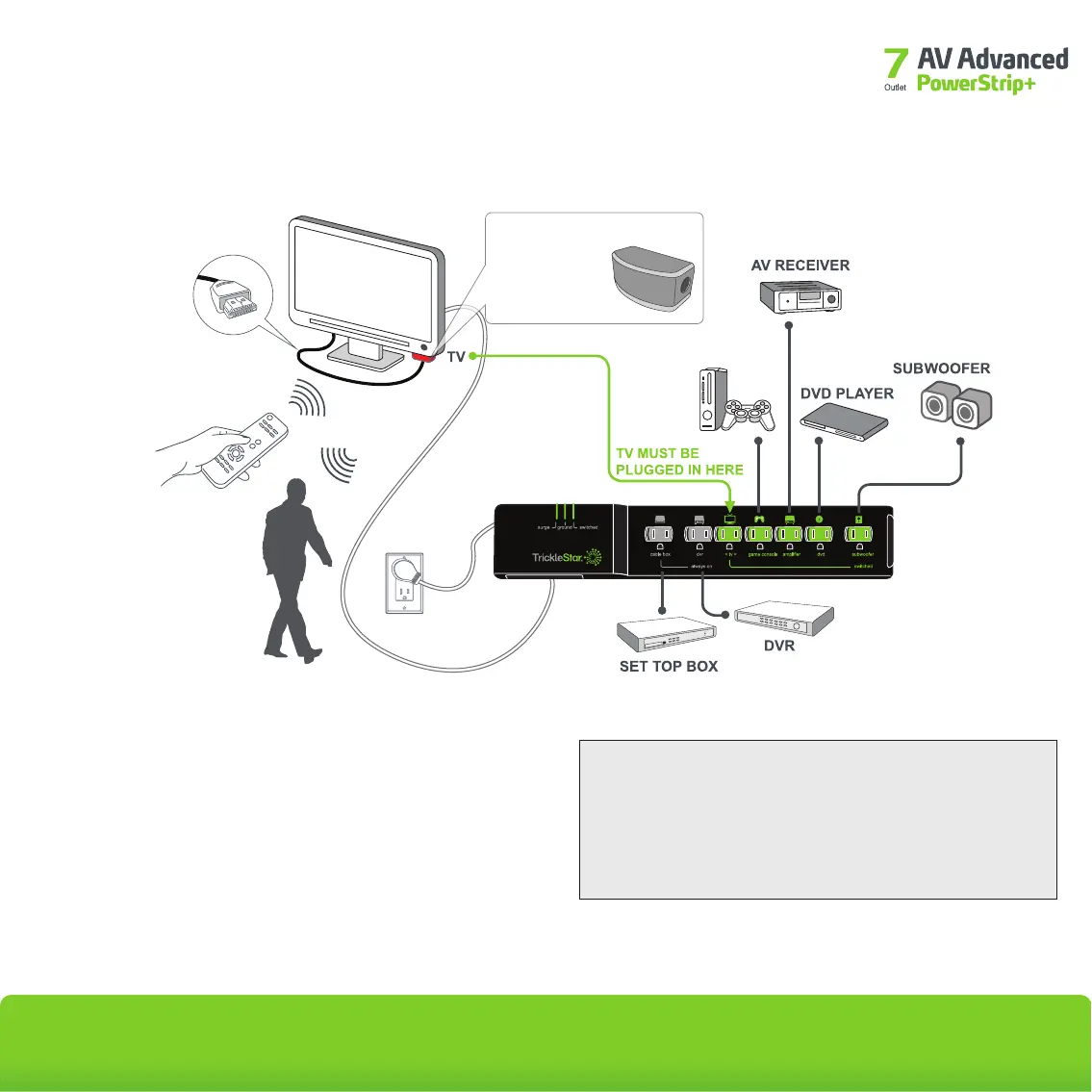
TAV-Link functionality will softly switch off (place into an energy-saving
mode) HDMI-connected peripherals capable of receiving Consumer
Electronic Control (CEC) commands if no IR remote control activity or
motion is detected.
1
Game consoles without hard disk drives (HDDs) should be plugged into
a switched outlet. Game consoles with hard disk drives should be
plugged into an always-on outlet.
2
IR REMOTE
CONTROL
MOTION
IR & MOTION
MULTI-SENSOR
GAME-
CONSOLE
2


 To Next Page