Trinamic CANopen quickstart guide • Guide • Document Revision V1.00 • 2021-Sept-10
3 / 10
Figure 2
3. Power the module (including +V
MAIN
and Enable)
Note: It is recommended to connect to CANopen adapter first and power the TMCM-1240 after.
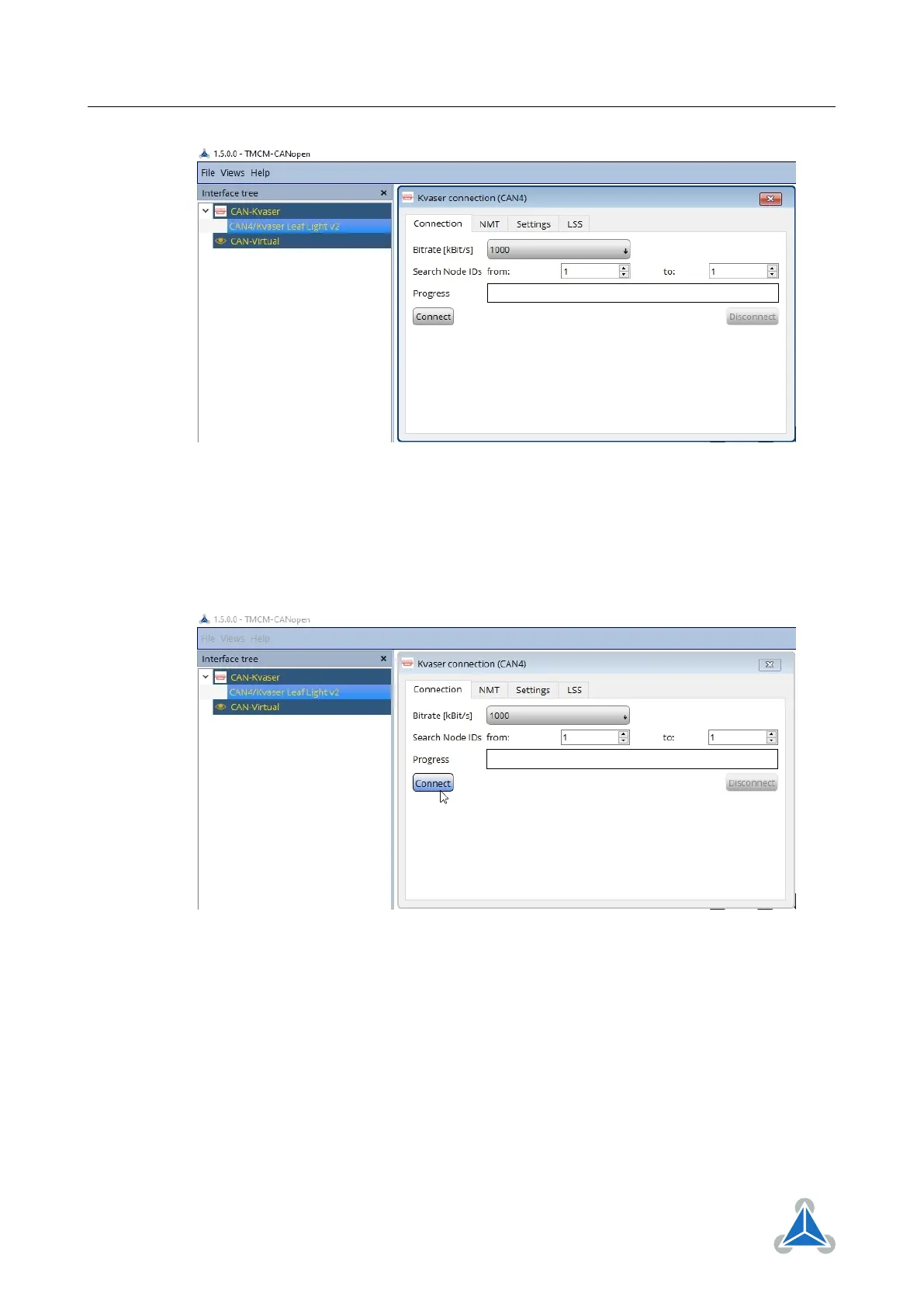
4. Connect to the TMCM module
By factory defaults the module is set to node ID 1 and to the bit rate of 1000kBit/s.
Figure 3
5. The module is now connected to the TMCM-CANopen. The red error led will be off, while the green
run led will blink (200ms on, 200ms off).
©2021 TRINAMIC Motion Control GmbH & Co. KG, Hamburg, Germany
Terms of delivery and rights to technical change reserved.
Download newest version at www.trinamic.com


 To Next Page