Trinamic CANopen quickstart guide • Guide • Document Revision V1.00 • 2021-Sept-10
9 / 10
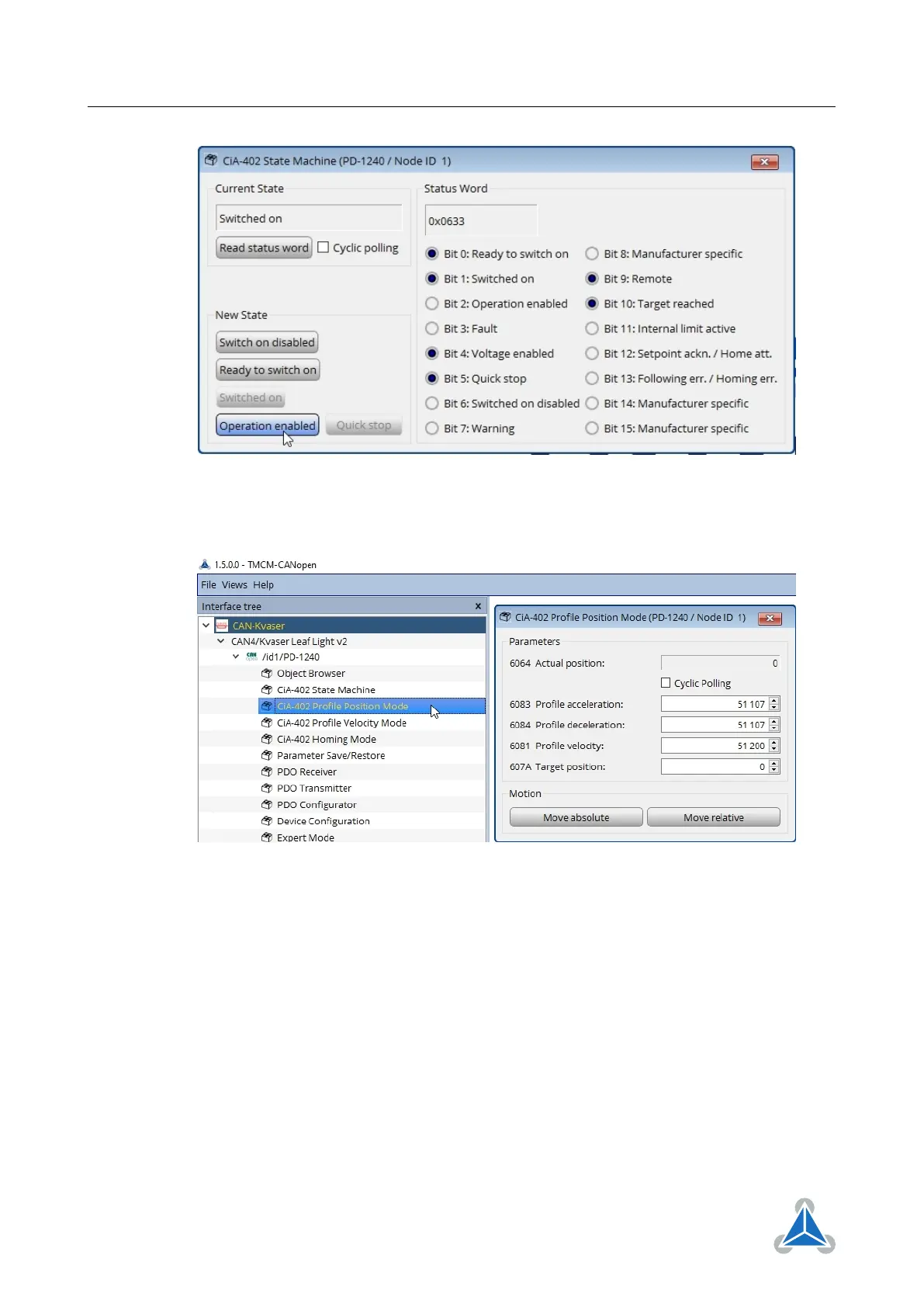
Figure 12
9. Open CiA-402 Profile Position Mode
Figure 13
10. Set target position to 51200 and use Move relative or Move absolute to move the motor one motor
revolution.
4.4 Velocity Mode
In this section the motor will be controlled in velocity mode.
1. Configure the limit switches as described in section 4.3 step 1 to 8
2. In the Interface tree select the toolbox CiA-402 Profile Velocity Mode
©2021 TRINAMIC Motion Control GmbH & Co. KG, Hamburg, Germany
Terms of delivery and rights to technical change reserved.
Download newest version at www.trinamic.com


 To Next Page