Trinamic CANopen quickstart guide • Guide • Document Revision V1.00 • 2021-Sept-10
4 / 10
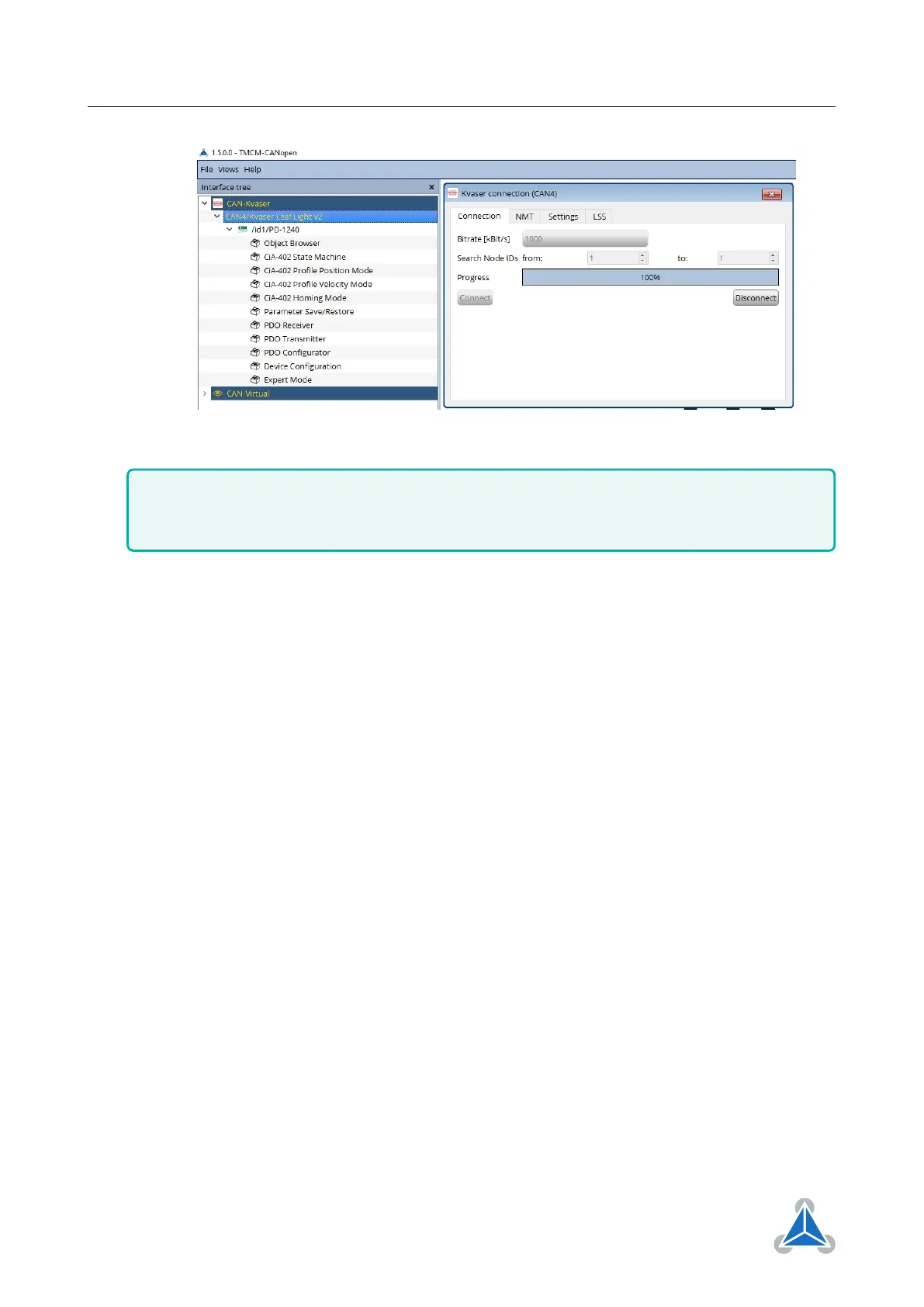
Figure 4
Usually an .eds needs to be added to the CANopen Master. However, this is not necessary for
Trinamic modules in TMCM-CANopen. For adding other .eds files to TMCM-CANopen refer to
the TMCM-CANopen tool manual V1.5.0.0 chapter 4.3.
4.2 Motor run current
In this section the motor run current will be adjusted. It should be made sure that the motor run current
is within the rated current of the stepper motor. The current setting (and other module settings) can be
changed by using CANopen service data objects (SDO) as following:
1. Open the Object Browser toolbox
2. Scroll to object 0x2003 (Absolute Max Current 1).
3. Click on Read button to read out the motor run current setting. In the example (figure 5) the motor
run current is 128 (equals 1A rms). A value of 255 means 100% of the maximum current of the drive.
4. Enter a new current value and Write to update the setting. In the example the new motor run current
is 64 (equals 0.5A rms).
©2021 TRINAMIC Motion Control GmbH & Co. KG, Hamburg, Germany
Terms of delivery and rights to technical change reserved.
Download newest version at www.trinamic.com


 To Next Page