EasyManua.ls Logo

Trinity Highway MPS 350X - Page 17

Default Icon
42 pages
Print Icon
To Next Page IconTo Next Page
To Previous Page IconTo Previous Page
Loading...
www.trin
16.
M
r
o
17.
R
o
a
L
18.
W
t
h
L
p
ityhighway.
c
M
ount the L
i
o
uting instru
R
aise the M
P
v
er the Fra
m
nd secure t
h
imit Switch
w
W
ith the MP
S
h
e end (see
inchpin thro
lace. Repe
a
Linch
p
c
om
i
ghting Sys
t
ctions (see
p
P
S 350
®
X t
o
m
e Cross-m
h
e Frame C
w
ill activate
S
350
®
X in
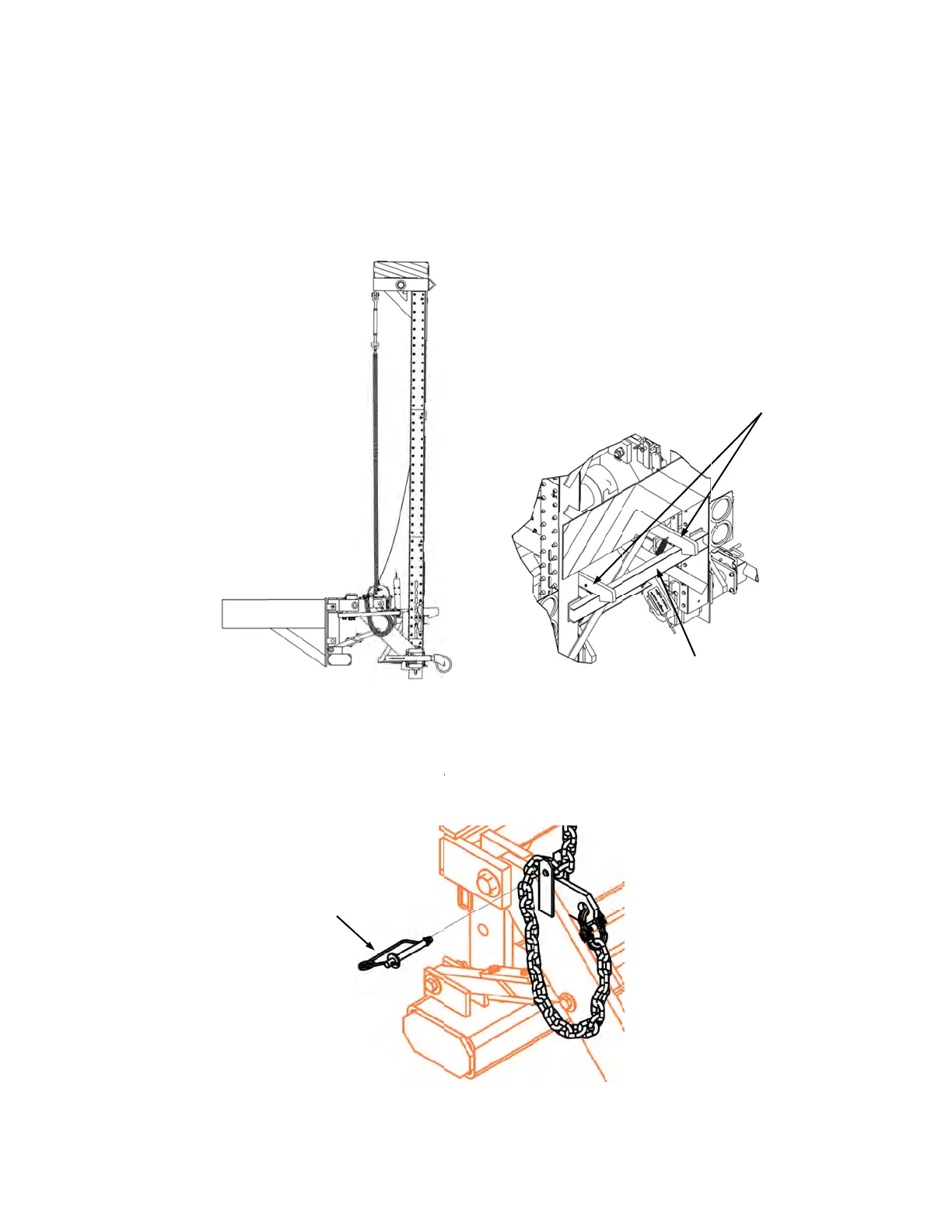
Figure 16).
ugh the Ch
a
a
t this step f
o
p
in w/Clip
1
t
em on the
p
. 32, 33, a
n
o
the UP (v
e
ember on t
h
ross-memb
e
and the Wi
n
a
n UP (vert
i
Insert the
C
a
in Retaine
r
o
r the Chain
6
MPS 350
®
n
d 34).
e
rtical) posi
t
h
e Frame A
s
er
(see Figu
n
ch will auto
m
Figure 15
i
cal) positio
n
C
hain betwe
e
r
Tabs and
C
on the oth
e
Figure 16
X. Use dr
a
t
ion until th
e
s
sembly. T
h
re 15). Wh
e
m
atically po
n
, remove t
h
e
n the Chai
n
C
hain. Lock
e
r side of th
e
Revision
C
a
wing 6201
3
e
Latch Bar
A
h
e Latch Ba
e
n the unit i
s
we
r
down.
h
e Linchpin
a
n
Retainer
T
the Clip on
e
system.
Frame C
La
C
Decembe
r
3
9 for mou
n
A
rms drop i
n
r Arms mus
s
secured, t
h
a
nd open th
T
abs. Next, i
the end to
s
ross Memb
e
tch Bar Ar
m
2017
n
ting and
n
to place
t engage
h
e Upper
e Clip on
nsert the
s
ecure in
er
m
s