19
20
(1)When you press the Settings
button【RIGHT】keys,the compensation
value in turn increases.
Icon:1/ 128→1/64→1/32→ →1/ 1
When you press the "Select the Settings
button” 【LEFT】 key the compensation
value in turn decreases.
Icon:1/ 128→1/64→1/32→ →1/ 1
(2)Select Settings button 【UP】
【DOWN】function key to fine-tune the
flash power value.
Icon:0EV→+0. 3EV→+ 0.7EV
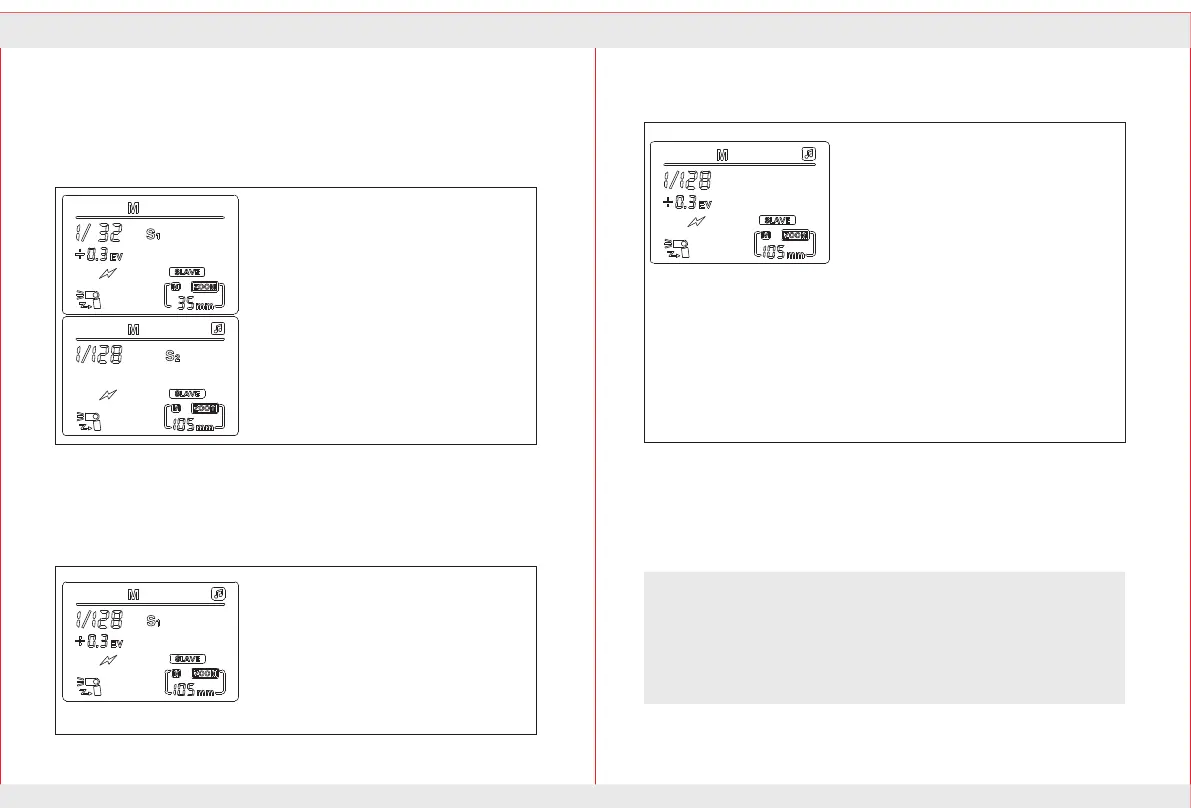
Light flashing mode S1 S2
S1 Mode:
It is suitable for manual flash environment,It
will senses every flash of the main flash and
synchronous trigger flash,It is consist effect
for use wireless flash.To properly use this
mode,your master flash should be set in the
manual flash and neither be used with pre-flash
TTL flash system,Nor be used with multiple
flash red-eye reduction function.
S2 Mode:
It is suitable for TTL flash mode,also
known as the ‘pre-flash cancel mode’,the
mode can ignore the pre-flash TTL flash
and synchronization with the main
flash,so you can support the Master flash
in TTL mode.
If the auxiliary lamp selection S1/S2
mode can not properly synchronized with
the master flash,make sure that the flash
mode of the master flash is
right.Sensing modes and power output
should be set correctly.
When need to form a flash unit off-camera flash.You can set the slave
light in S1or S2. When use S1, S2 mode,the sensor against the master
lights by rotatingthe flash head.
Set light flashing mode S1 S2:
1.Press wireless select button until the LCD display S1, S2.
2.Press the wireless select button ,can make flash into the S1,S2
mode,these two modes suited as from the the machine auxiliary lamp
role to create a variety of lighting effects.They are suitable for manual
flash environment and TTL flash environment.In these two mode to
adjust the output brightness is the same as M mode,only need to operate
in the【Left】【Right】【Up】 【Down】and 【Middle】button.
...
...
Please note that to avoid the following situations when use the S1 S2
mode: The Master speedlite using in the red-eye reduction function
and modeling;The master speedlite using the remote flash mode (Nikon) or
wireless flash mode (Canon);Use ST-E2 as flash controller.
Note:When the flash under Slave mode,Mode key is invalid,It need to
withdraw from the Slave mode so that can change the mode manually.
When the Nikon version speedlite setting in the Slave mode,It can't
connect with the camera,It need withdraw Slave mode so that can connect.
When the canon version speedlite setting in the Slave mode,connecting with
the camera.It will automatically exit the Slave mode into E-TTL mode.


 To Next Page
 Loading...