17
18
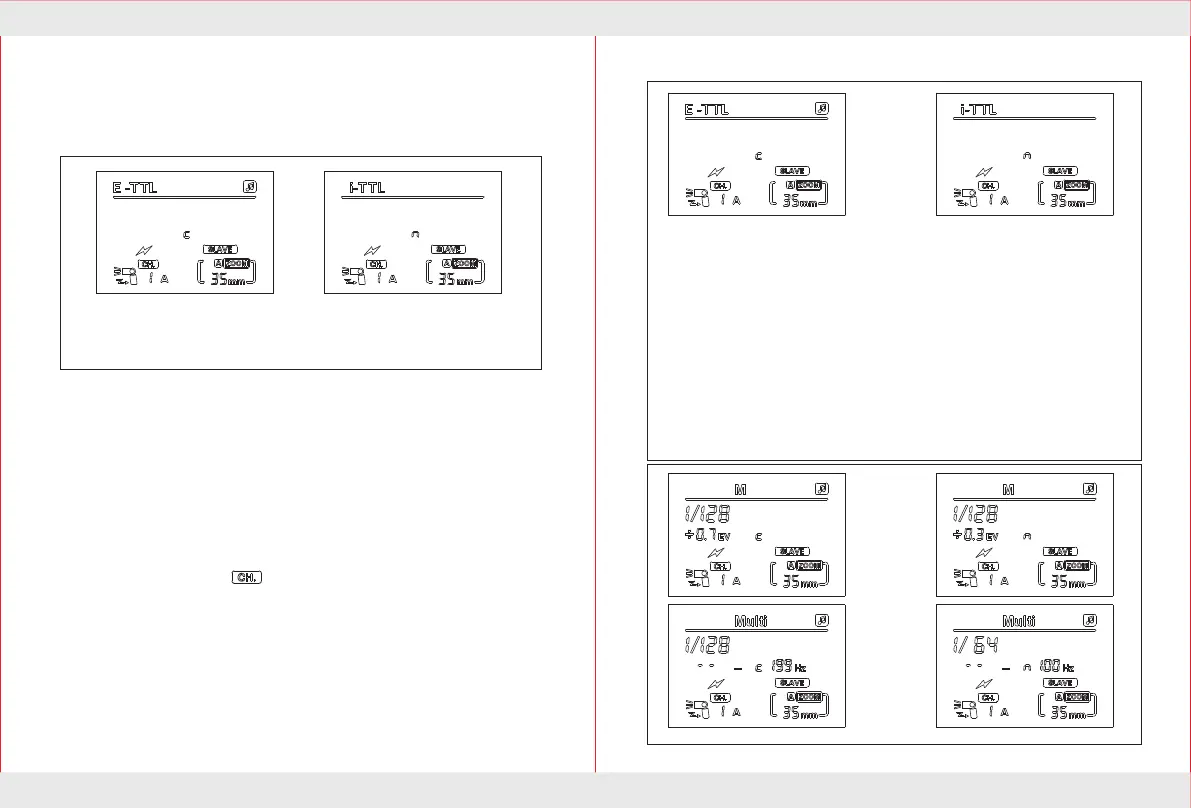
Wireless flash mode
C means that only to receive
Canon wireless flash signal,
avoid N signal interference;
N means that only to receive
Nikon Remote flash signal,
avoid C signal interference;
With multiple speedlite having the wireless flash feature,you can create
various lighting effects with the same ease as using normal TTL autoflash.
1.Set the speedlite to wireless flash mode by press wireless selection key,
When the LCD screen display SLAVE C.Press the Wireless select button.
The flash will switch between SLAVE C/SLAVE N/S1/S2/ as well as normal
flash.The SLAVE C/SLAVE N/S1/S2 four models as the slave unit from
machine use,create different lighting effect.
SLAVE C indicate receiving wireless flash signals from the canon 7D
/60D/600D camera flash and 580EX II,600EX,ST-E2.SLAVE N indicate
received C instruction form Nikon camera as well as C instruction signal
of SB-900/800/700, SU-800 .SLAVE C/N supports 4 channel, 3 different
groups,TTL,manual and stroboscopic wireless flash.Using this mode by
rotating flash lamp,It make the wireless trigger sensors toward the master
speedlite.Before shooting,this speedlite and the Master speedlite should
be arranged in the same channel.This speedlite as the slave unit,press the
[ZOOM] button until the channel or category flicker,respectively setting
the slave unit Communication channels (1, 2, 3, 4) and the slave unit group
(A, B, C).When work in Slave units,
The flash mode of brightness
and completely controlled by the Master control unit,and to display the
received information.
Focal length is not controlled by the
Master flash light, need to adjust manually.
4.Press【ZOOM】 key to flashing,press 【LEFT】【RIGHT】key
to set the group. Press【middle】key to confirm exit the settings.
A/B/C
2.The Master unit
The Master speedlite set any flash exposure compensation setting,flash
exposure bracketing, exposure lock,manual flash stroboscopic flash,
information settings will be automatically transferred to this speedlite.
3.Press【ZOOM】 key to . Flashing,press 【LEFT】【RIGHT】
key to set the wireless channel,Press【middle】key to confirm,exit the
settings.


 To Next Page