13
14
0 3.02.72.32.01.71.31.00.70.3
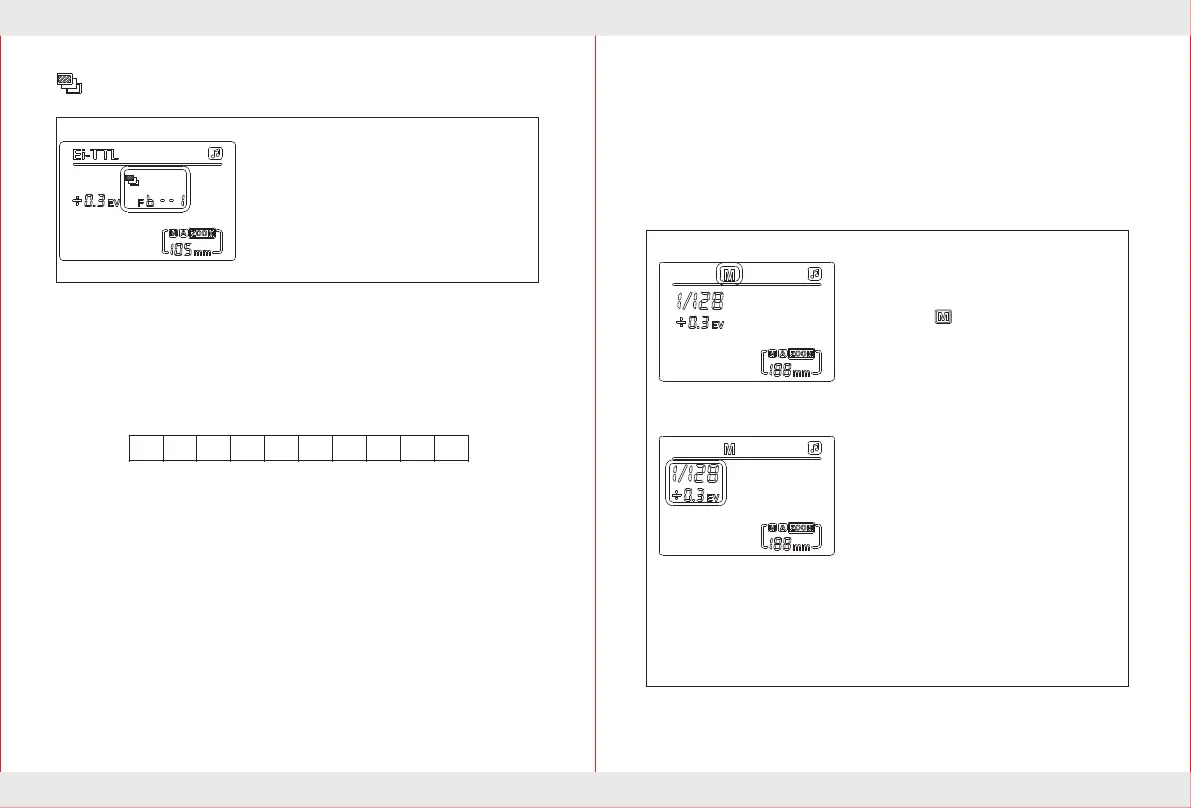
FEB: Set theFlash exposure bracketing value
You can take three flash shots while automatically
changing the flash output for each shot up to ± 3
stops in 1/3-stop increments (1/2-stops increments
if the camera enables only 1/2-stop increments).
This is called FEB(Flash Exposure Bracketing).
For Feb,set the camera's drive mode to "single
shot".Before shooting to ensure that flash ready.
Press "Five select settings button group" 【Up】【Down】 key to set the
required exposure bracketing value.
1, Press "Five select settings button group" 【Up】 key,bracketing value
increases;
Press "Five select settings button group" 【Down】 key,bracketing value
decreasing.
2.The FEB is in the range of 0-3.0.
The FEB icon:
FEL:Flash exposure lock
Select the flash mode
Press 【MODE】 mode button until the
LCD display .
Power setting
1.Select the Settings button group
【RIGHT】keys,power values increase
Manual flash mode M
When you need a manual exposure,according to own requirements to
set the brightness of the flash output between 1/128 power to 1/1 full
power.Adjust the flash output with 1/3 speed increment,press the zoom
button 【ZOOM】 into the manual zoom.
sequentially.
Icon:1/ 128→1/64→1/32→...→1/1
2.Select the Settings button group
【LEFT】 keys,power values decrease
sequentially.
Icon: 1/1→1/2→1/ 4→...→1/ 128
3.Select the Settings button group
【UP】【DOWN】keys,Fine tuning of
the value of power of the flash.
Icon:
0EV→+ 0.3EV→+0.7EV
0EV→- 0.3EV→-0.7EV
Flash exposure lock locks the correct flash exposure setting for any part
of the scene.With <TTL> displayed on the LCD panel,You press the
camera’s <FEL>button,If the camera does not have the <FEL>button,
press the "*" button. Nikon camera press "FV" button.If the camera
support flash exposure lock: connect the flash screen under TTL mode,
you can set the flash on the camera exposure by locking, after set, the
speedlite will fire a preflash and the required flash output for the subject
is retained in memory.The camera will calculate the flash compatible
output data,you have time to composition again,after finishing
composition can press the shutter to shot (this feature requires you to
use the camera itself support,please refer to your camera manual settings).


 To Next Page