15
5. Touch Operation
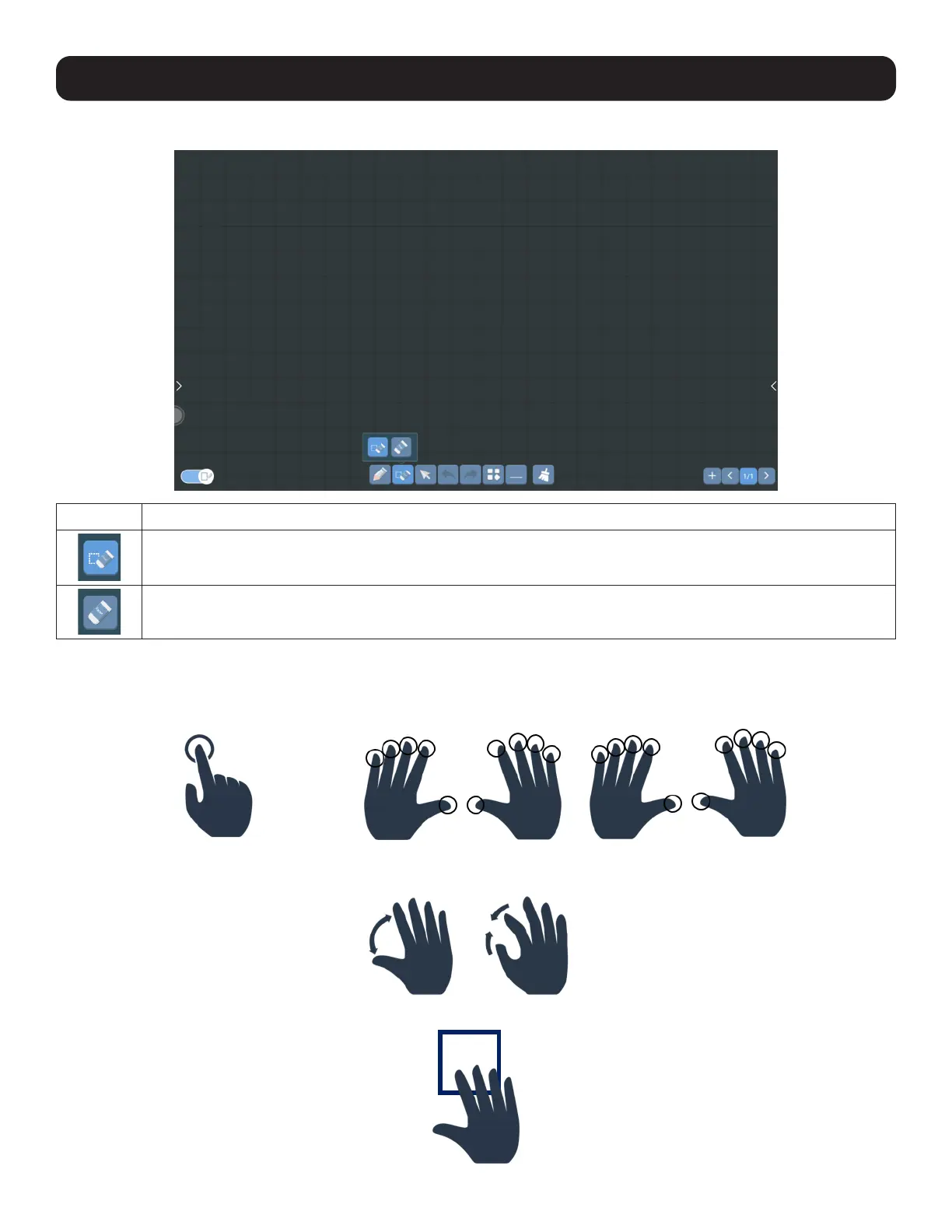
5.1.2.3 Drawing Application Eraser Overview
Option Description
Object Eraser: Selects and erases an entire object, such as a line.
Standard Eraser: Erases only the pixels you touch.
5.1.2.4 Multitouch Gestures
The display supports from 1 to 20 points of multitouch. That means it can detect and process up to 20 simultaneous touch
inputs.
1
20
Move two fingers apart to zoom in; move two fingers together to zoom out. These gestures can also adjust the size of an
object.
Drag several fingers to activate the eraser block and erase on-screen drawing.



 To Next Page