4
2.1 Unpacking
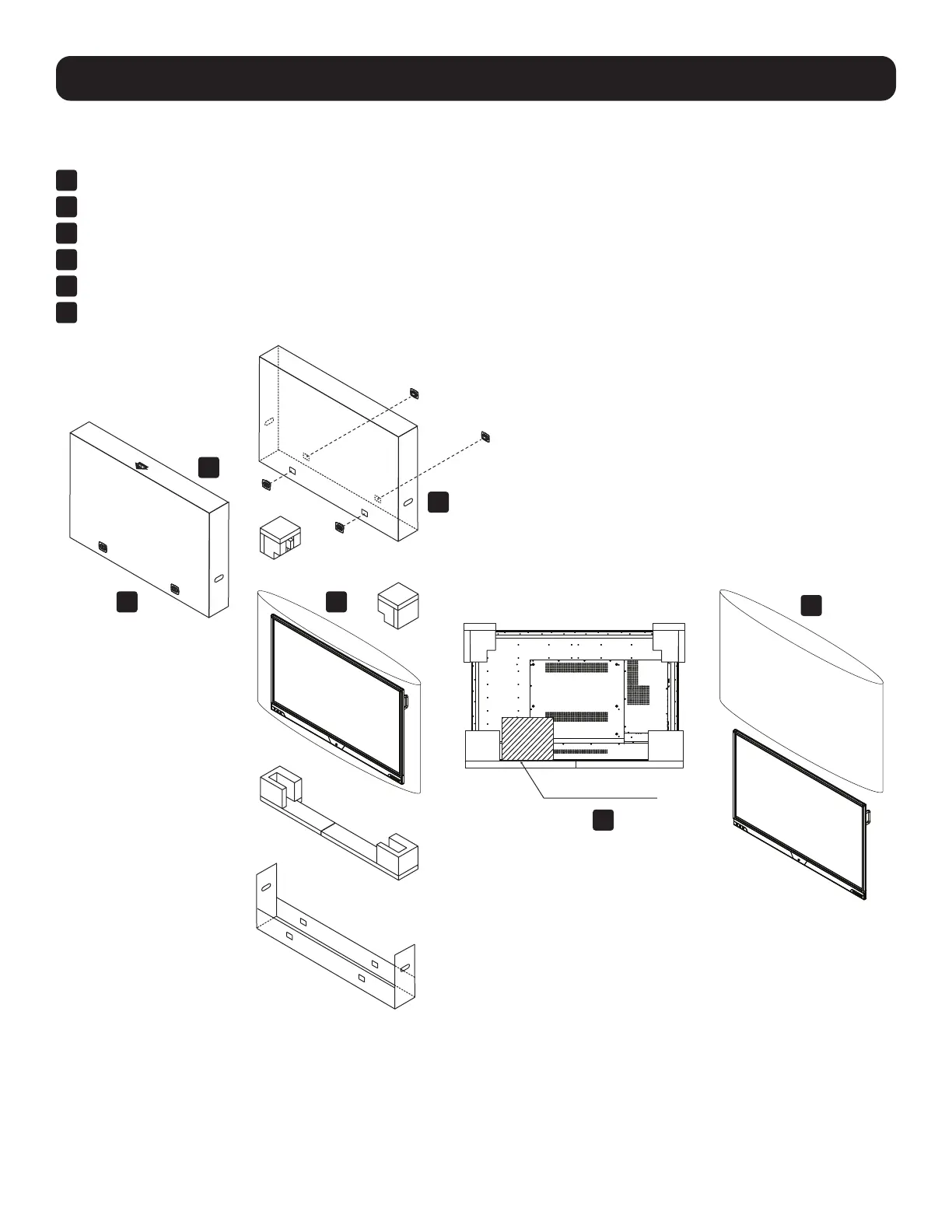
Note: Do not unpack the unit from the shipping carton until you are ready to mount it to the included stand.
1
Set the shipping carton in an upright position.
2
Cut the plastic banding from the carton, taking care not to damage the contents.
3
Remove the retention clips from the outer carton.
4
Lift off the top of the carton and remove the top corner protectors.
5
Remove the inner accessories kit.
6
Remove the inner plastic bag covering the display.
2. Preparation
ACCESSORY KIT
1
2
3
4
5
6



 To Next Page