11
5. Touch Operation
IMPORTANT: Only use the included touch pens or fingertips on the touchscreen surface. If you need additional touch
pens, inexpensive replacements are available from Tripp Lite.
5.1 Home Screen
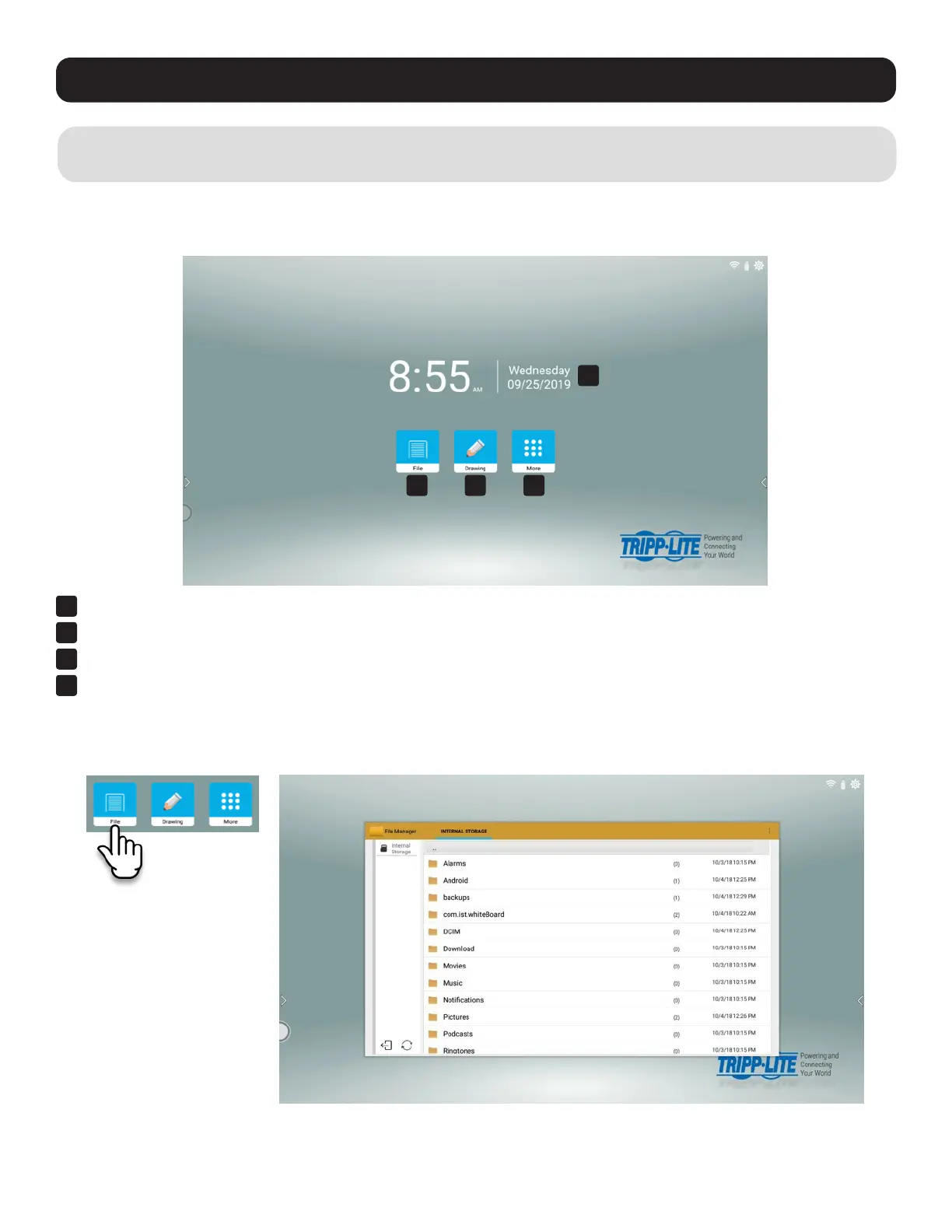
After startup, you will see the time, date and three buttons on the home screen:
1
File Manager
2
Drawing Application (Whiteboard)
3
More Applications
4
Date and Time
5.1.1 File Manager
Open, move, copy, create or delete folders and files.
1 2 3
4



 To Next Page