12
5. Touch Operation
5.1.2 Drawing Application (Whiteboard)
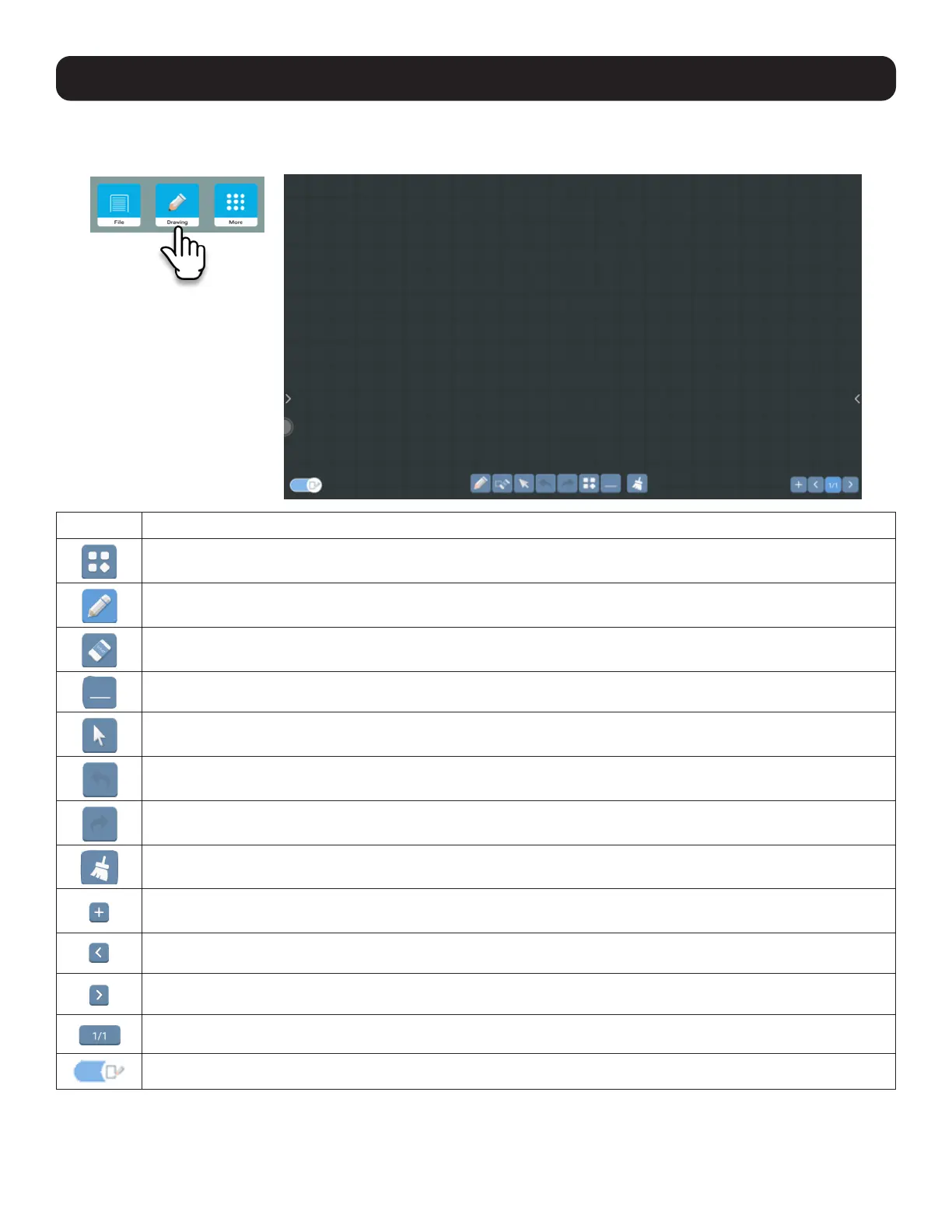
Open the built-in whiteboard application for drawing or writing on the screen.
Button Description
Menu: Provides extra options.
Pen: Customize line weight, transparency and color.
Erase: Clear the entire page or choose a precise eraser.
Minimize: Hide the drawing screen.
Pointer: Select content.
Undo: Undo the most recent action.
Redo: Redo the most recent action.
Sweep: Clear all drawing.
Add: Add saved images.
Previous: Move to the previous drawing page.
Next: Move to the next drawing page.
Counter: Current page / total pages.
Background On/Off: Shows most recent screen behind drawing when off.



 To Next Page