6
3.1 Front Panel
3. Features
2 3 4 5 6 8
10
7 9
1211
1
13
1
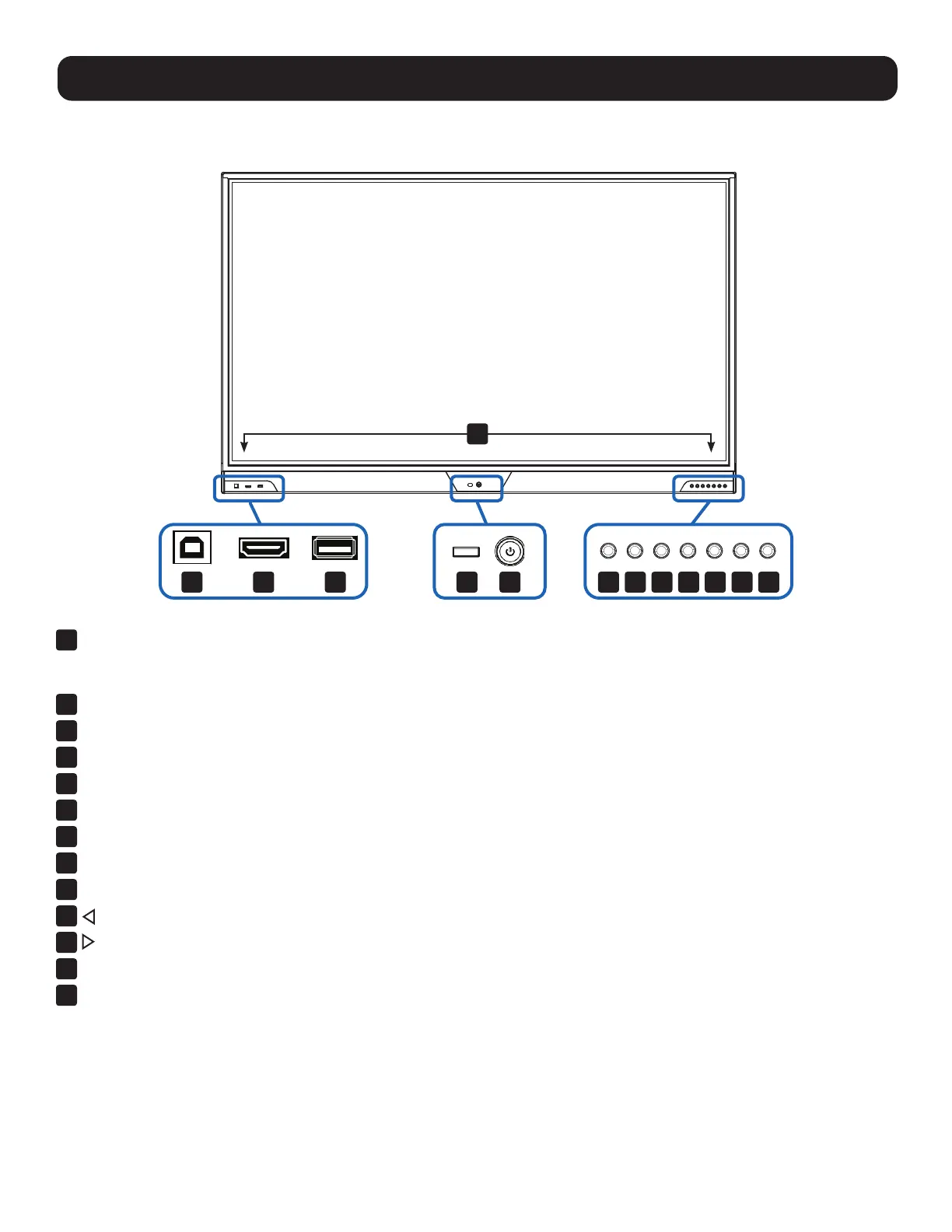
USB Touch Port
Note: If you decide to use a front or rear USB touch port, use the included USB cable or a user-supplied USB 2.0 A-B cable that is
3 m or shorter to ensure signal integrity.
2
HDMI Port
3
USB 2.0 Port
4
IR Receiver for Included Remote Control
5
Power Button with Status LED (On: Blue / Standby: Red)
6
Source Button
7
Menu Button
8
Volume – Button
9
Volume + Button
10
(Left) Arrow Button
11
(Right) Arrow Button
12
Touch On/Off Button
13
Built-in Soundbar Speakers with Subwoofer



 To Next Page