17
5. Touch Operation
5.2 Navigation Bar
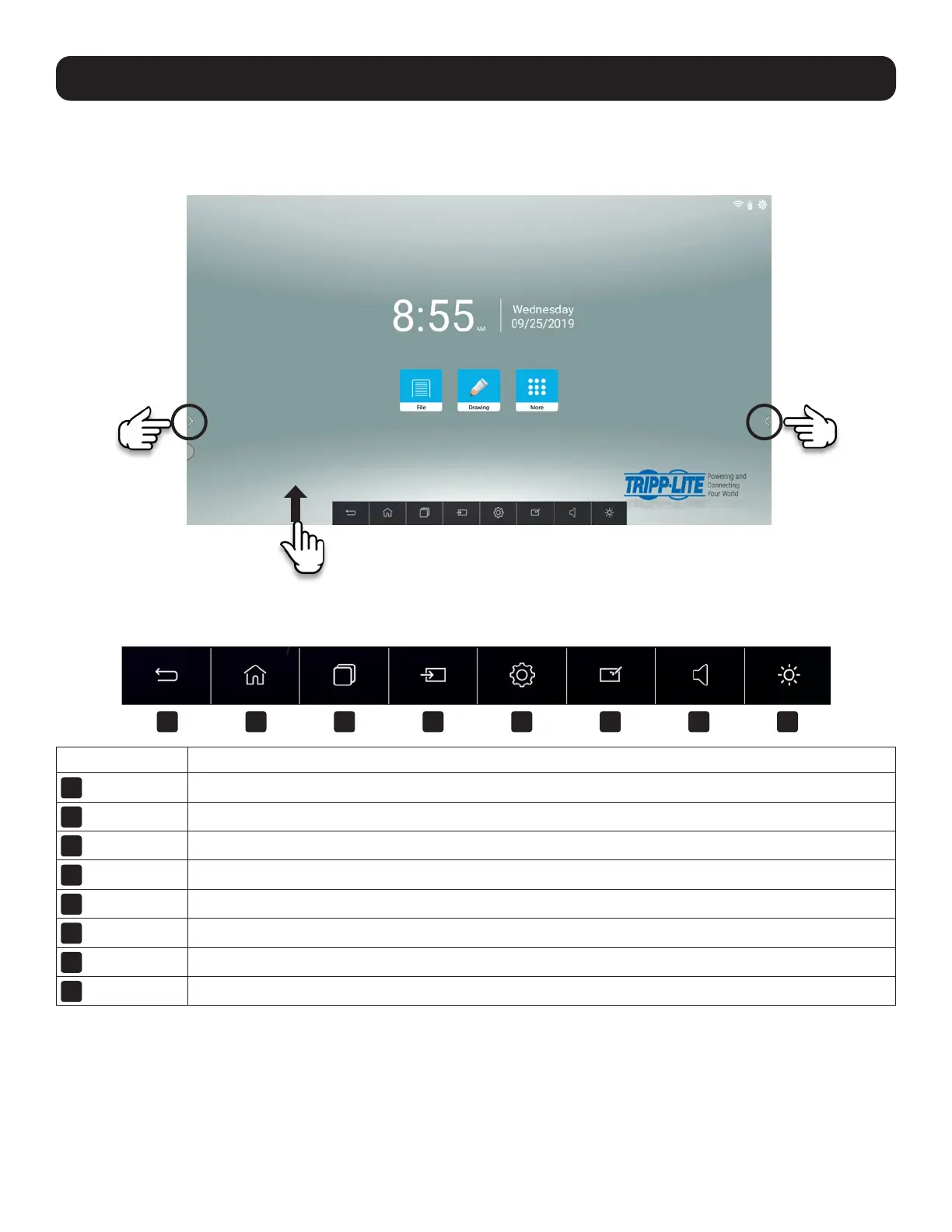
Access the navigation bar by sweeping up from bottom of the screen (for a bottom bar) or by touching one of the arrows on
either side (for a side bar).
5.2.1 Navigation Bar Overview
Button Description
1
Backward
Move back to the previous step.
2
Home
Go to the home screen.
3
Manage
Switch and clear the program.
4
Source
Activate the external input window.
5
Settings
Show the system settings interface.
6
Whiteboard
Write on the system interface.
7
Volume
Adjust the speaker volume.
8
Brightness
Adjust the screen brightness.
1 3 5 72 4 6 8



 To Next Page