21
4. Local Console
This section explains how to operate the NetCommander IP via the local console. The local console allows you to access connected
computer/servers, configure the KVM’s network settings, and to configure some more basic settings specific to local access.
To display the OSD:
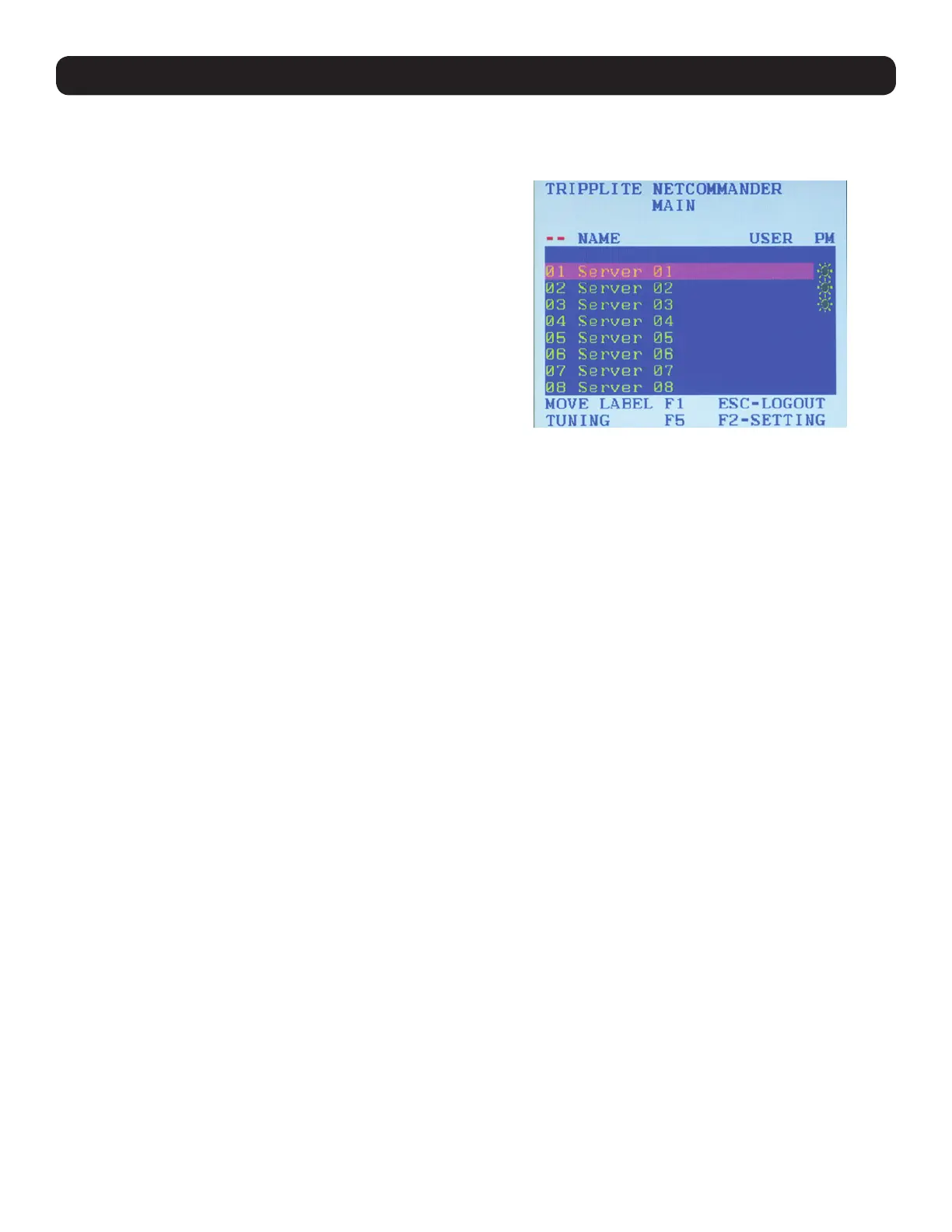
1. From the local keyboard, press the left Shift key twice. The
OSD Main window appears.
Lines with sun icons in the PM column show active computers/
servers. A computer that is connected, but is powered-off, does
not have a sun icon. When a server is busy (when an account is
accessing it in an Exclusive Session), the entire line appears in red
characters.
Navigating the OSD:
• To move the highlight bar throughout the list, press the [h] and [i] arrow keys.
• To jump from one column to the next (when relevant), press the [Tab] key.
• To exit the OSD or return to a previous window within the OSD, press the [Esc] key.
To select a computer:
1. Navigate to the desired port using the [h] and [i] arrow keys, or type the two-digit port number of the desired computer.
2. Press the [Enter] key. The selected computer is accessed.


 To Next Page
 Loading...