3
Quick Installation
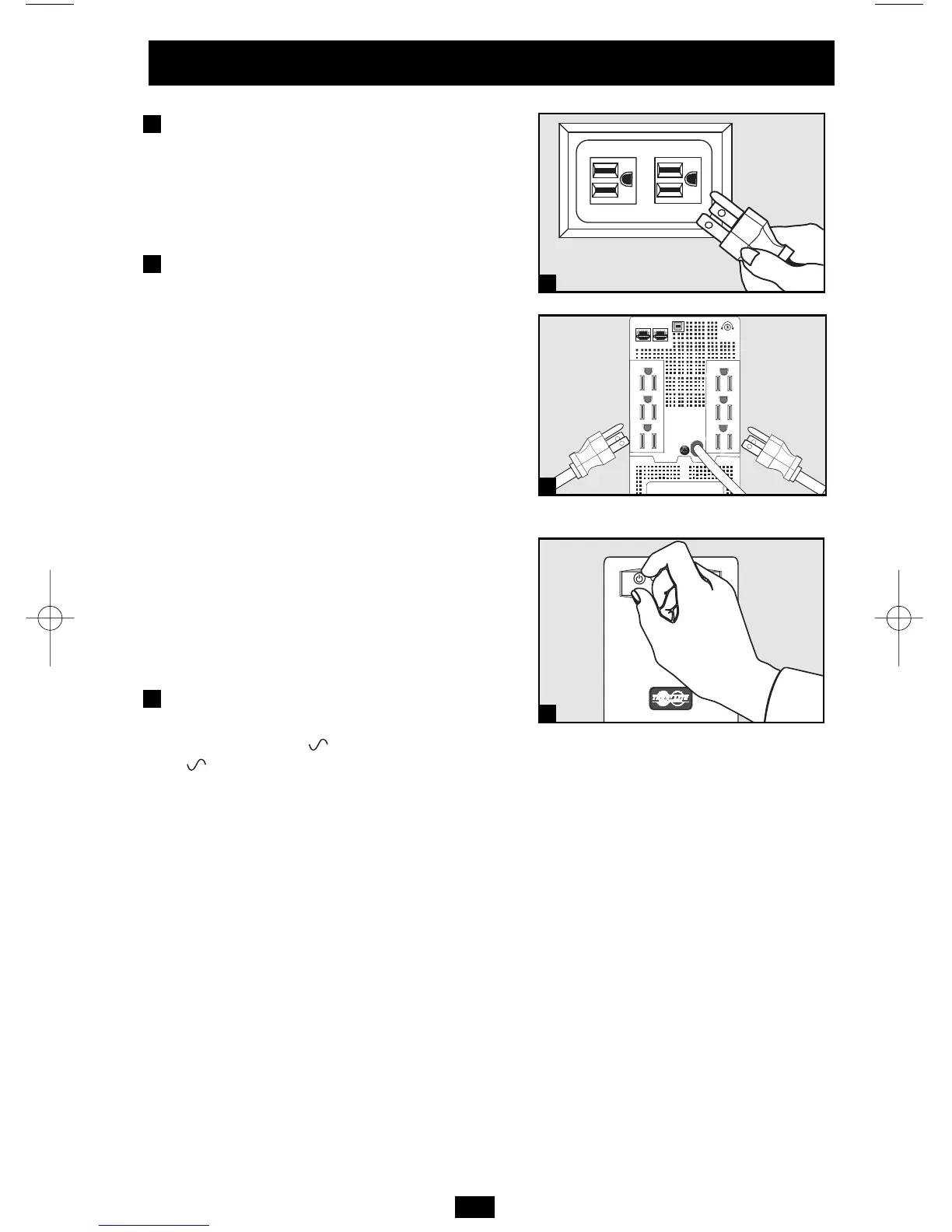
Connect the UPS to
an electrical outlet.
Make sure the outlet does not share a circuit
with a heavy electrical load such as an air
conditioner or refrigerator.
Plug a computer, monitor
and/or other equipment into
the UPS system.
The UPS is designed to support only
computer equipment. Connecting high power
draw equipment such as household appliances
or laser printers to outlets providing UPS
battery backup will overload the UPS. Special
outlets (clearly labeled on the rear panel)
provide surge-only (not battery backup)
protection designed for laser printers and
other high power draw equipment.
“UPS/Surge” receptacles are used to provide
connected equipment with AC line power
during normal operation and battery power
during blackouts and brownouts. They also
protect equipment against damaging surges
and line noise. Connect the computer and
monitor to the “UPS/Surge” receptacles.
Select UPS Operating Mode.
Press the ON/OFF button to toggle the UPS
between the ON (“ ” LED lit) and the OFF
(“ ” LED not lit) modes.
3
2
1




 To Next Page