4
ON/OFF Button:
Switch the Operating Mode: While the UPS is plugged into a live
AC outlet, press the ON/OFF button and hold it until the UPS beeps
(about 2 seconds) to toggle between ON and OFF.
• ON Mode: ENABLES battery backup. UPS Conditions: The UPS
charges the battery and supplies power to the outlets while receiving
utility line power. The “ ” indicator light will illuminate. If utility
power fails, the UPS provides power from battery.
Cold-Start: Cold start the UPS to use it as a stand-alone power source
when utility power is not present (if the UPS battery is charged). To
cold start the UPS, press and hold the ON/OFF button until the UPS
beeps (about 2 seconds), then release it. The “ ” indicator will
illuminate and AC power inverted from stored battery power will be
provided to the outlets.
Basic Operation
These connections are optional. The UPS will function properly without these connections.
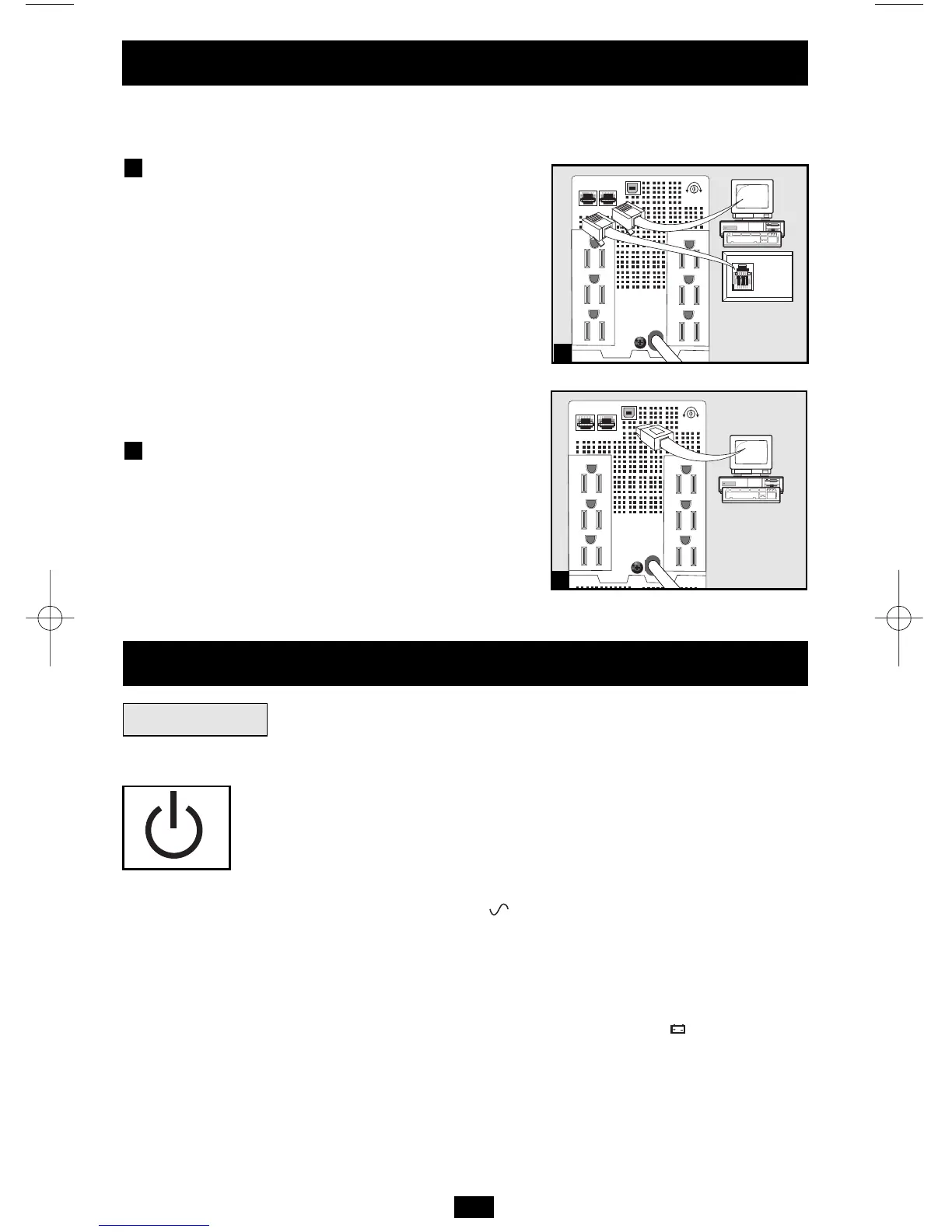
Phone Line/Network Line
Surge Suppression
The UPS has jacks which protect against surges
over a phone or network data line.
Using telephone cords as appropriate, connect
the wall jack to the UPS jack marked “IN.”
Connect equipment to the UPS jack marked
“OUT.” Make sure the equipment connected to
the UPS jacks is also protected against surges
on the AC line.
USB Communications
Use any USB cable to connect the computer’s
USB port to the USB port of the UPS.
Download the PowerAlert UPS monitoring
software program appropriate for the
computer’s operating system from
www.tripplite.com/software/ and install it.
2
1
Quick Installation
optional




 To Next Page