EasyManua.ls Logo

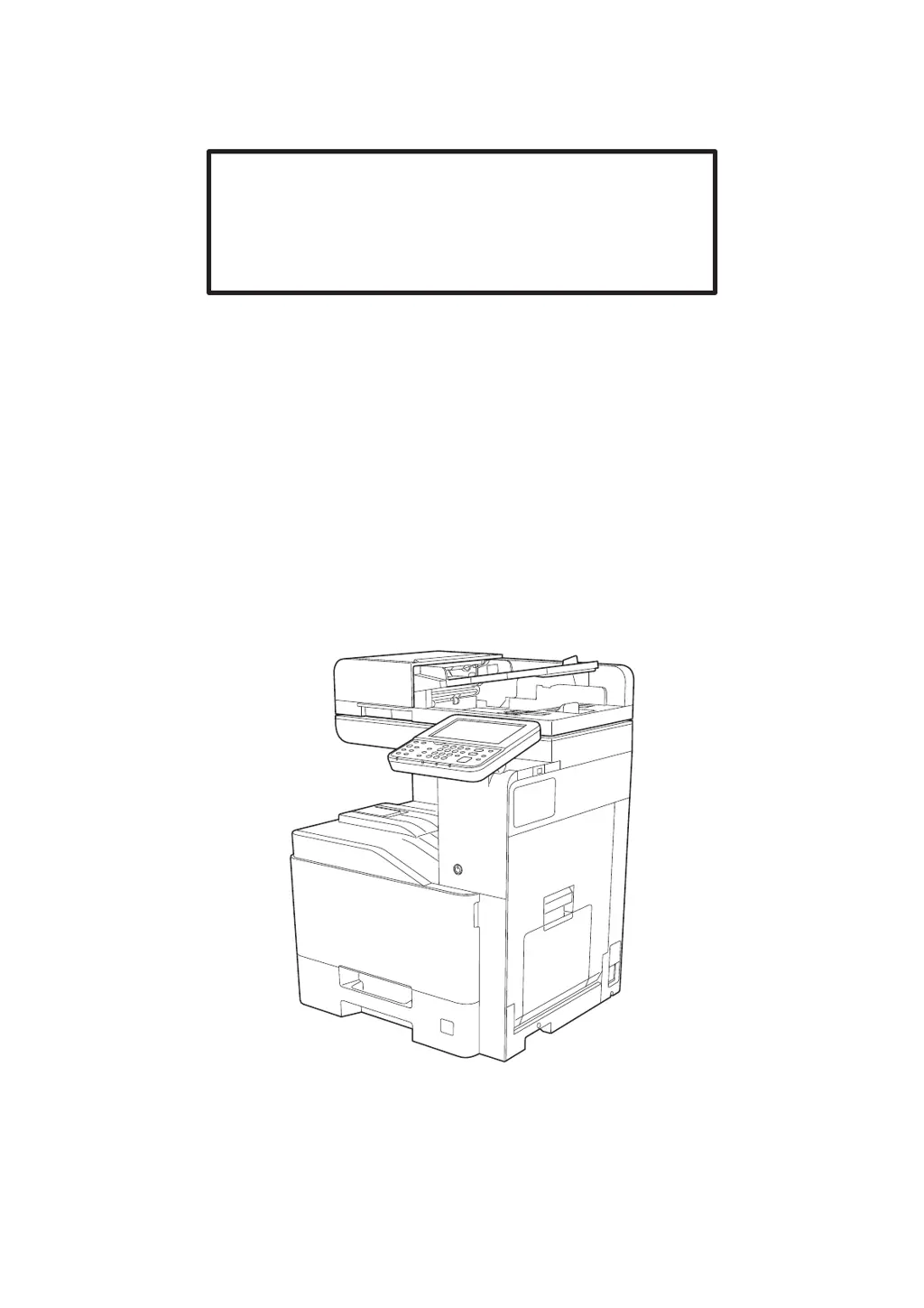
Triumph Adler 400ci - User Manual

Triumph Adler 400ci
568 pages
Print Icon
To Next Page IconTo Next Page
Loading...
Operation Guide
350ci
400ci

Table of Contents

Questions and Answers

  • K
    kbullockAug 12, 2025
    Why Triumph Adler Fax Machine cannot send fax?
    • S
      sharon89Aug 12, 2025
      There are several reasons why your Triumph Adler Fax Machine might not be sending faxes: * The modular cord may not be connected correctly; ensure it is properly connected. * The Permitted FAX No. or Permitted ID No. might not be registered correctly; double-check these numbers. * A communication error may have occurred; review the error codes in the TX/RX Result Report and Activity Report and perform the corresponding procedure if the error code starts with "U" or "E". * The destination FAX line may be busy, or the destination FAX machine may not be responding; try sending again.
  • L
    lynnchristopherAug 16, 2025
    What to do if Triumph Adler Fax Machine cannot receive document?
    • U
      upierceAug 16, 2025
      If your Triumph Adler Fax Machine is not receiving documents, consider the following: * Check if the modular cord is correctly connected. * If a communication error is displayed, remedy the cause of the error and ask the sender to retry. * If you are using an IP telephone line, try changing the setting of [RX Start Speed] in Reception to temporarily clear the communication error. * Verify whether RX (reception) restriction is activated and, if so, cancel the RX restriction.
  • J
    John BrownAug 19, 2025
    Why Triumph Adler Fax Machine cannot perform sub address transmission?
    • W
      wareraymondAug 19, 2025
      If your Triumph Adler Fax Machine is unable to perform sub address transmission, it could be due to the following reasons: * The recipient fax machine may not be equipped with a sub address transmission feature; sub address transmission cannot be performed unless the recipient fax machine has a similar feature. * The entered sub address or sub address password might not be identical to the sub address or sub address password registered in the recipient fax machine; if your entry is correct, check with the recipient (note that this machine does not use a sub address password for reception). * The recipient fax machine might not have free space available in its memory; check with the recipient.
  • E
    eharrisAug 25, 2025
    What to do if Triumph Adler Fax Machine cannot perform memory reception?
    • R
      Ronald PooleAug 25, 2025
      If your Triumph Adler Fax Machine cannot perform memory reception, it is likely because there is not enough free space available in the memory. You should receive after the memory has free space, or create free space in the memory.
  • P
    petergarciaAug 27, 2025
    Why Triumph Adler Fax Machine cannot store memory forwarding data in a FAX Box?
    • J
      jerry61Aug 27, 2025
      If your Triumph Adler Fax Machine is unable to store memory forwarding data in a FAX Box, there might be two possible reasons: * The FAX Box might not be specified correctly; check the memory forwarding setting. * There might not be enough free space available in the memory; receive after the memory has free space, or create free space in the memory.
  • C
    Cheryl FieldsAug 31, 2025
    Why Triumph Adler Fax Machine cannot perform encrypted communication?
    • E
      Emily FrancisAug 31, 2025
      If your Triumph Adler Fax Machine cannot perform encrypted communication, double-check the registrations both at sender and recipient to ensure they are correct.
  • J
    james31Sep 4, 2025
    Why Triumph Adler Fax Machine cannot output from a FAX Box?
    • J
      Jessica JordanSep 4, 2025
      If your Triumph Adler Fax Machine cannot output from a FAX Box, it might be because the box password has been set. Try entering the correct box password.
  • J
    John ThomasSep 7, 2025
    Why Triumph Adler Fax Machine cannot use sub address bulletin board communication?
    • M
      Michael JacksonSep 7, 2025
      If your Triumph Adler Fax Machine cannot use sub address bulletin board communication, it might be due to the following reasons: * The other party’s fax machine may not have the same sort of sub address bulletin board communication function; if it does not, it cannot receive faxes via a sub address bulletin board. Check with the recipient. * The entered sub address or sub address password might not be correct; if your entry is correct, check with the recipient.

Summary

Legal and Safety Information

Installing and Setting up the Machine

Network Setup (LAN Cable Connection)

Details how to set up the machine's network connection using a LAN cable.

Installing Software

Provides instructions for installing necessary software on a PC from the DVD.

Embedded Web Server RX

Explains how to access and use the machine's web interface for configuration.

Operation on the Machine

Copying

Explains the basic operation for making copies and how to cancel jobs.

Sending Document to Desired Shared Folder on a Computer (Scan to PC)

Guides on how to scan and send documents to a shared folder on a PC.

Using Various Functions

Send

Explains functions related to sending documents, including file format and FAX settings.

Status;Job Cancel

Checking Job Status

Explains how to check the status of jobs being processed or waiting.

Setup and Registration (System Menu)

System Menu

Details how to navigate and configure machine settings via the System Menu.

User Login;Job Accounting

Details settings for user authentication, login, and job accounting management.

User Authentication and Accounting (User Login, Job Accounting)

Enabling User Login Administration

Guides on enabling the user login administration feature.

Overview of Job Accounting

Explains how job accounting manages counts for copy, print, scan, and fax.

Enabling Job Accounting

Guides on enabling the job accounting feature.

Configuring Job Accounting

Explains how to set default values for usage limits and paper size counting.

Troubleshooting

Regular Maintenance

Provides guidance on cleaning the machine's components for optimal performance.

Troubleshooting

Offers general guidelines for solving common machine operation and image issues.

Adjustment;Maintenance

Covers procedures for adjusting image quality and performing machine maintenance tasks.

Clearing Paper Jams

Provides step-by-step instructions for removing jammed paper from various locations.

Clearing a Staple Jam

Details procedures for clearing staple jams in different finisher units.

Triumph Adler 400ci Specifications

General IconGeneral
BrandTriumph Adler
Model400ci
CategoryAll in One Printer
LanguageEnglish

Related product manuals