TRIUMPH BOARD a.s. Page 16 of 27
6) Software Installation
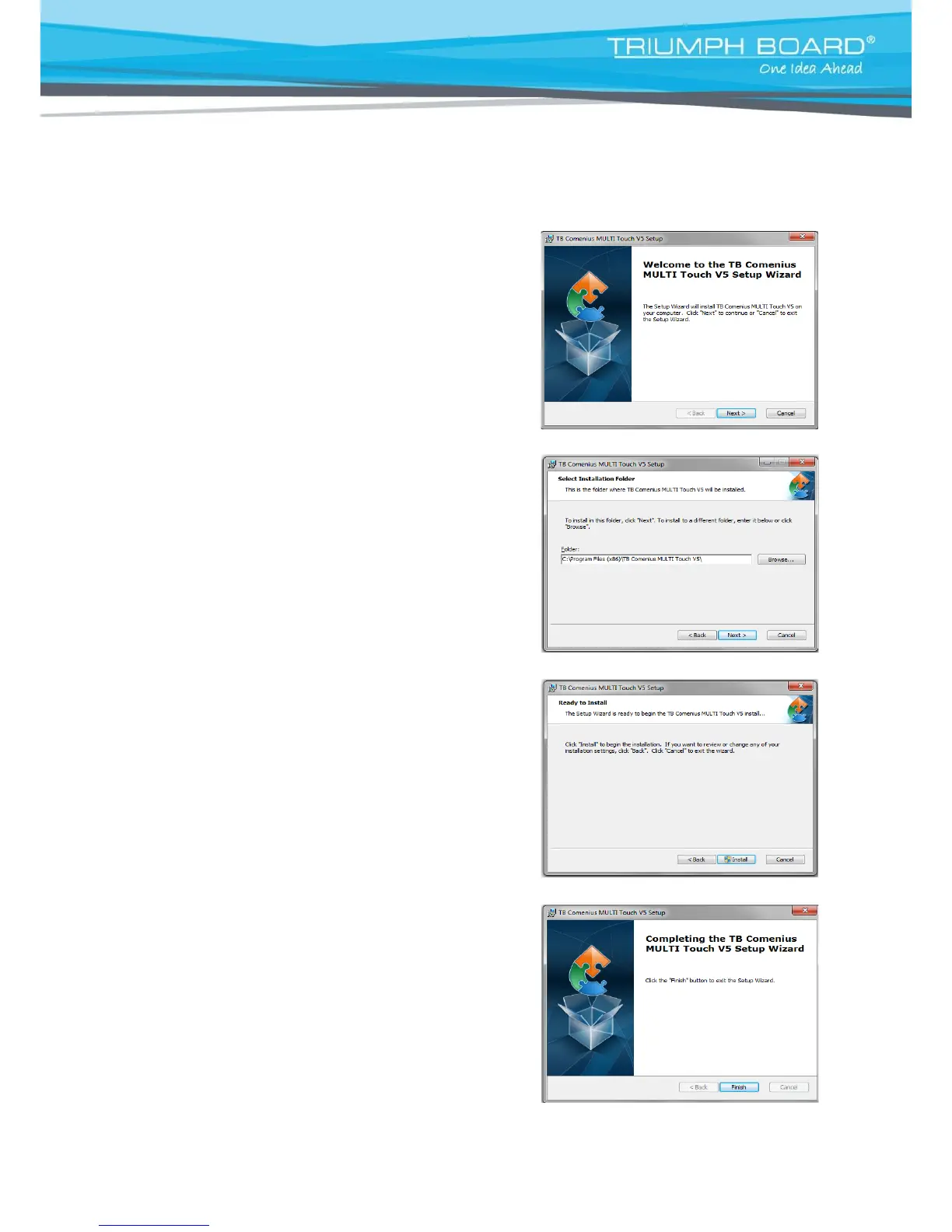
Install TB Comenius MULTI Touch software
a) To run the Installation Program, double-click file
“TB Comenius MULTI Touch.exe”.
Then click “Next” to install the software.
b) Choose destination location and click “Next” to continue.
c) Click Install
d) Click “Finish” to exit upon the MULTI Touch software
has been successfully installed.
e) Connect your PC / laptop with the MULTI Touch by using USB cable (provided).


 To Next Page