TRIUMPH BOARD a.s. Page 25 of 27
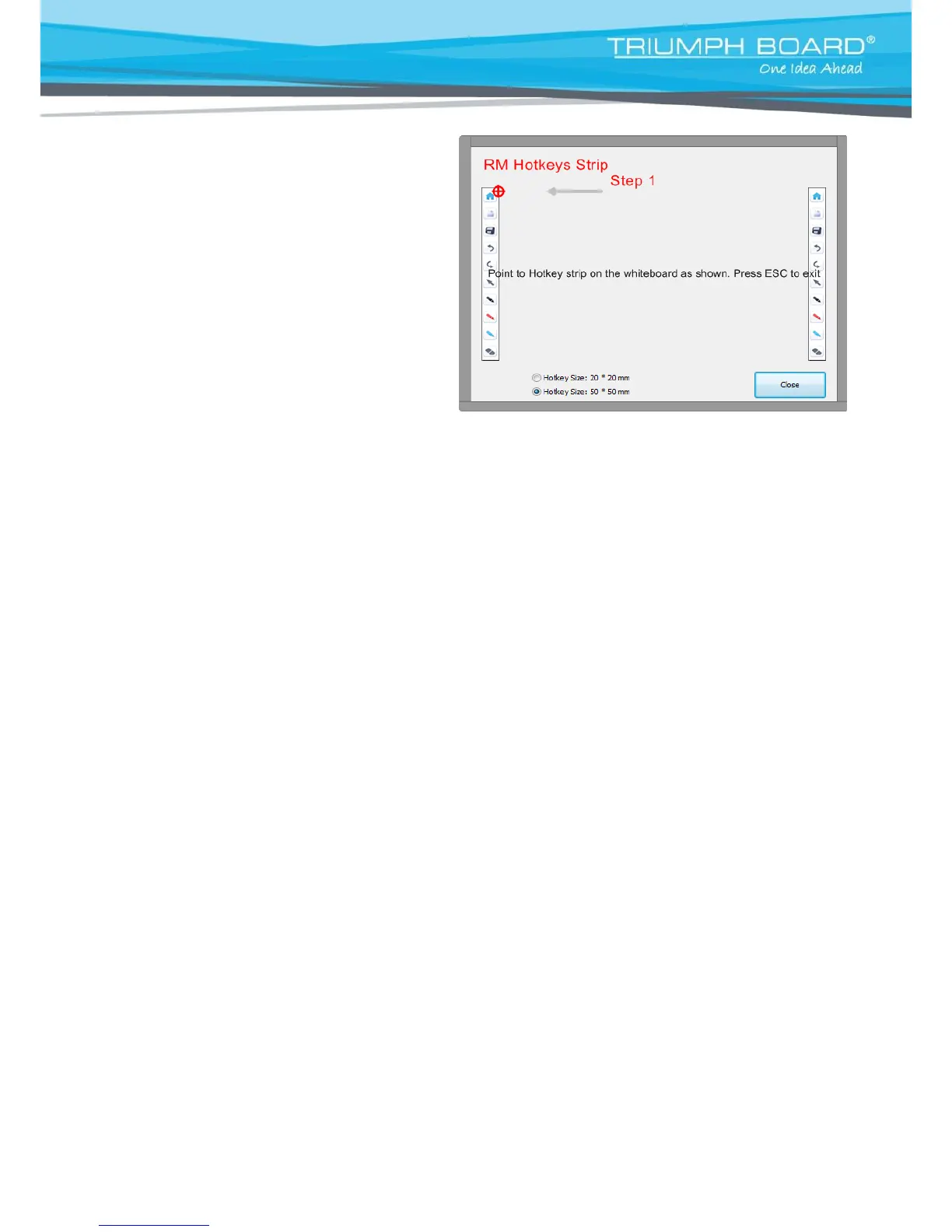
1) Click the right mouse button or
hold stylus longer on
RM Hotkey Driver icon in the Windows
system tray and select Hotkey Settings.
2) Choose Hotkey Size – 20*20 mm for
small Hotkey Strip (icons size 20*20 mm)
or 50*50 mm for big Hotkey Strip
(icon size 50*50 mm)
3) Use stylus to point to corresponding
Hotkey strip icons where the black/red
cross is located.


 To Next Page