GRAVURE CELL OPTION V8.3 X BETA – MANUALE OPERATORE
Pagina
29
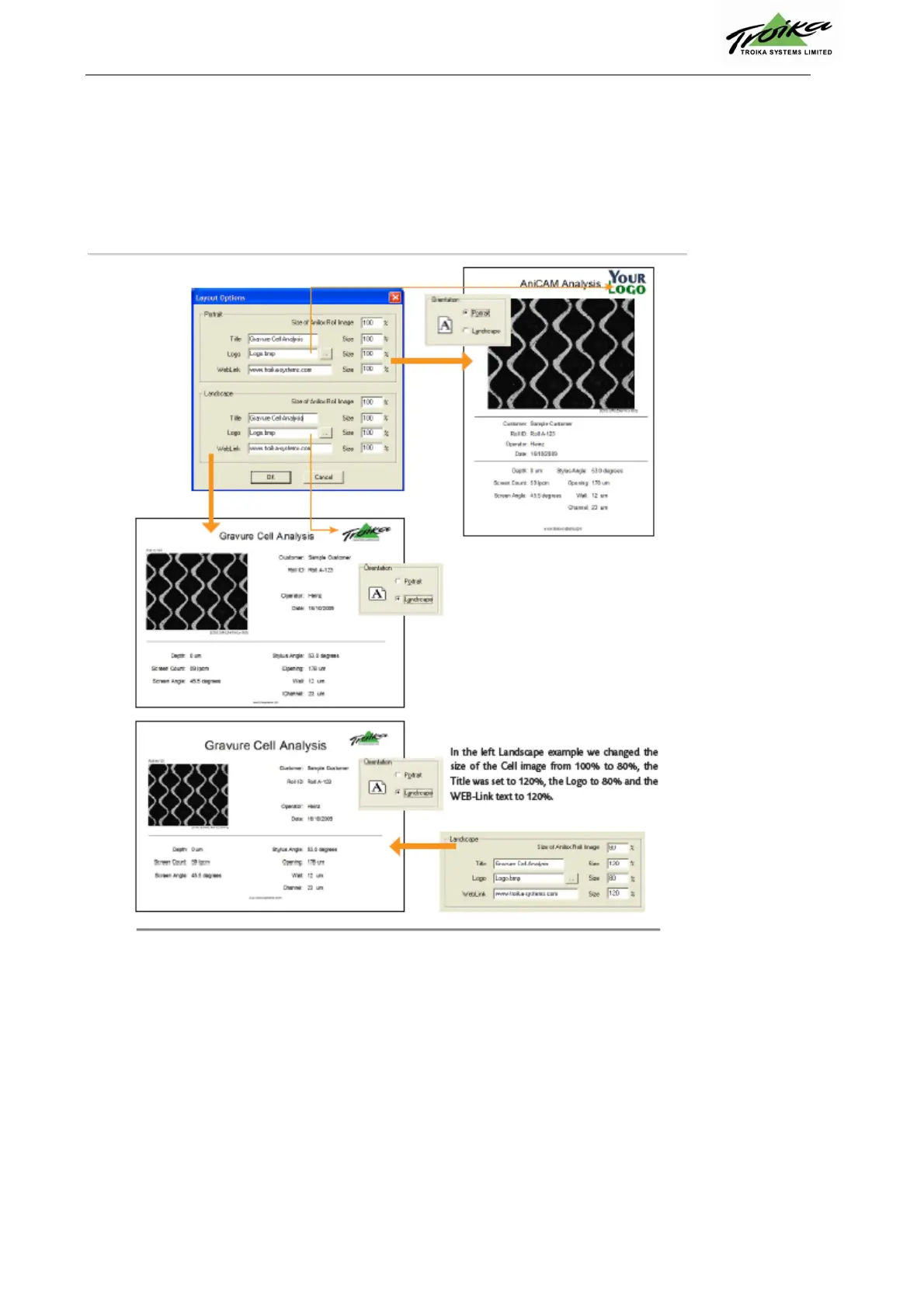
In the following screenshots you can see the impact of the settings on the printed Report form. You can
preview the results by clicking the Print Preview button on the Info section of the Image Analysis window.
Nell'immagine seguente viene mostrato come i settaggi influenzino la stampa del report. E' possibile
visualizzare il risultato delle modifiche cliccando "Print Preview" nella sezione "Info" della finestra "Image
Analysis"
Nell'esempio in alto a sinistra, abbiamo cambiato la dimensione dell'immagine della cella da 100% a 80%,il
titolo è impostato a 120% il Logo a 80% ed il link a 120%


 To Next Page