1521-7
ASSEMBLY STEPS
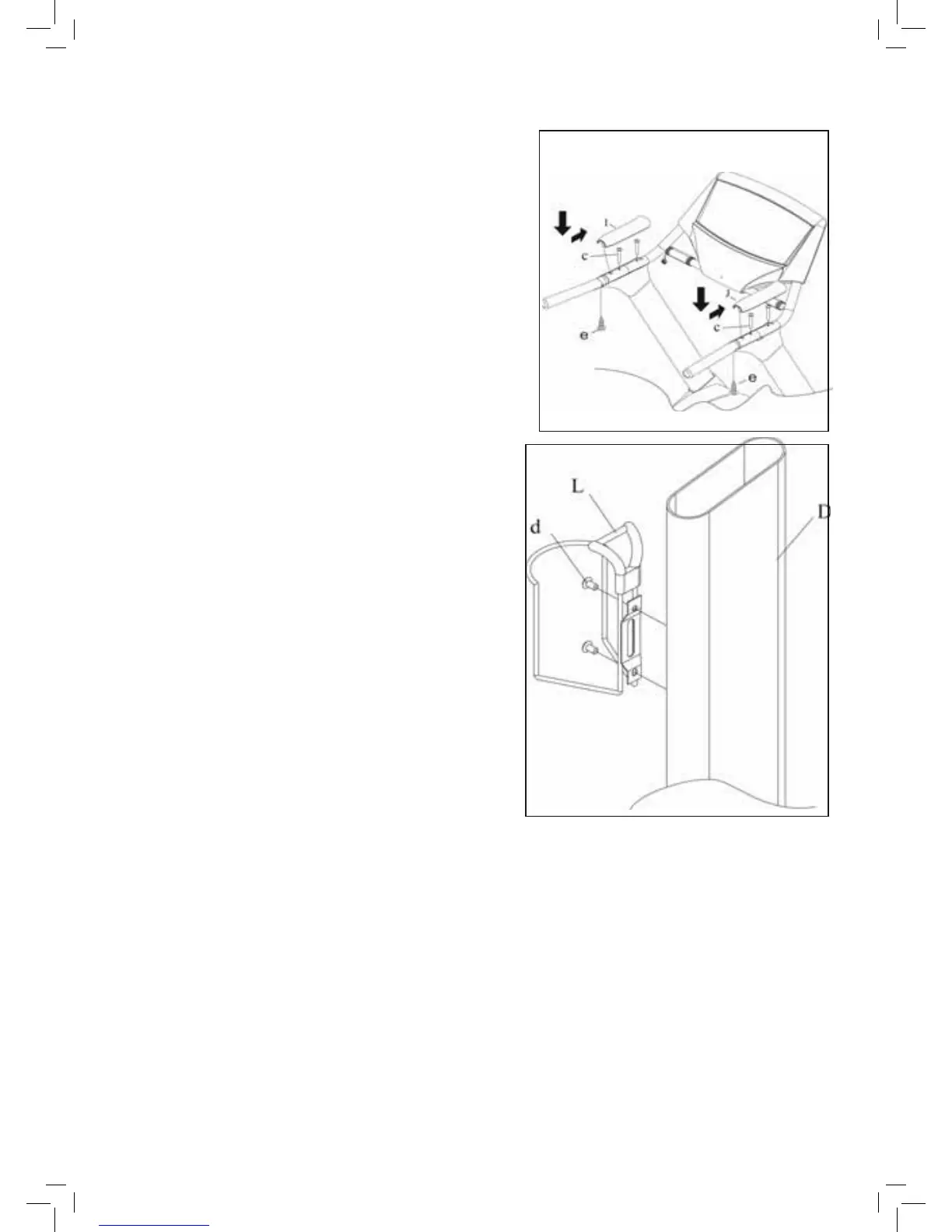
STEP 4
• Place the Computer Rack assembly onto the assembled Frame.
• Connect the Control Wire from the Upright Tubes to
the Control Wire on the Computer.
• The Computer Rack can now be fastened on the Frame with
Bolts (c)
• Attach the right and left Hand Rail Covers (I,J) with Bolt (e).
CAUTION:
Ensure that cables are not damaged during assembly or when
tightening screws.
STEP 5
• Attach the holder (L) on the Upright Bar (D) and secure with
Bolt (d)







 To Next Page