16
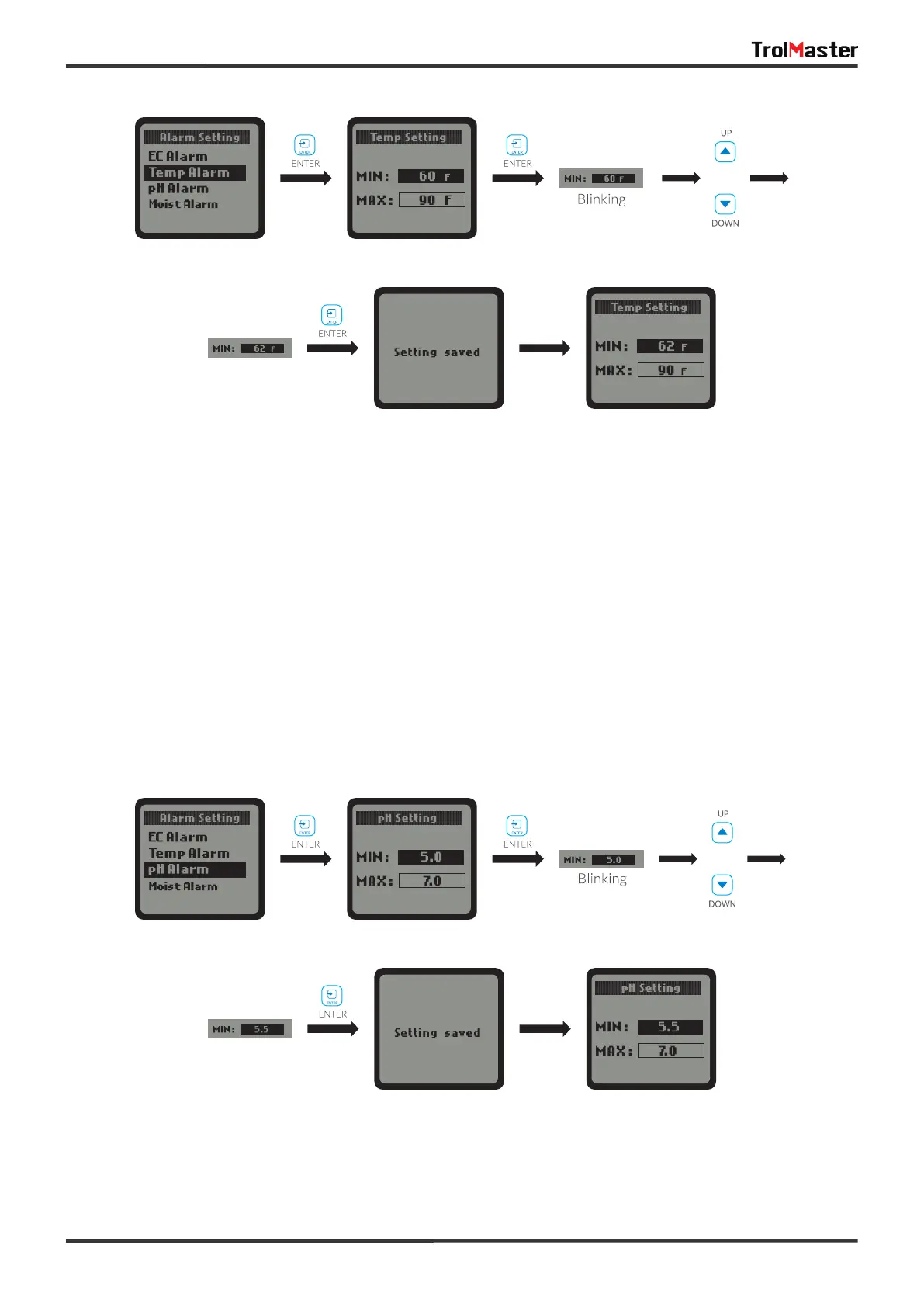
When the pH Alarm is selected, press the ENTER button to enter the pH Alarm setting page. The LCD screen
will display the MlN value and MAX value. Press ENTER button to activate the setting page and the MIN
value will be highlighted and blinking. Press UP button or DOWN button to change the MlN value, then press
the ENTER button to confirm and save the change. The LCD screen will show “Setting saved” .
c. pH Alarm:
User can also press the DOWN button to select the MAX value directly to edit the setting if the user would
like to keep the MlN value unchanged. The steps to set the MAX value are similar.
User can also press DOWN button to select the MAX value directly for change if keeps unchanged for the
MlN value. The setting of MAX value is similar to setting of MIN value.
or
or



 To Next Page