04
1. Power Connection:
Connect the plug-in power supply to the power (DC) connector on the far left.
2. Control Boards (24V or 110V) Connection:
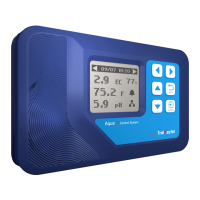
Connect the 24V Control Board to the Aqua-X with a RJ12 cable going from the 24V CONTROL socket to the
first 24V Control Board to be connected. Plug the 24V Control Board to the wall outlet for power supply.
Press “Addressing” button, the Aqua-X Controller will assign an address to the connected Control Board in
sequence. Use another RJ12 cable to connect to the second 24V Control Board. Repeat this process until all
24V Control Boards (up to 5pcs for exclusive use) have been connected to the Aqua-X Controller.
The connection of 110V Control Boards is similar to above processes but through the 110V CONTROL port.
3. Program Device Station Connection:
The connection of Program Device Station is similar to the 110V Control Board. The 110V Control Board and
Program Device Station can be chained together withT-Splitter through the 110V CONTROL socket.
4. Water Detectors Connection:
Connect the Water Detector to the Aqua-X with a RJ12 cable going from the Water Detector socket to the
first Water Detector to be connected. Use the T-Splitter and a short RJ cable so that the first cable can
continue on to be connected to the next T-Splitter (Water Detector) to be connected. Press the “Addressing”
button, the controller will automatically assign an address to the Water Detector in sequence. Repeat this
pracess until all Water Detectors (up to 3Opcs per set) are connected to the main controller.
5. Sensors Connection:
Connect the Sensor Board to the Aqua-X with a round-headed cable (male-to-male). Connect the pH Sensor
and EC/Temp Sensor to the corresponding connector on the Sensor Board.
6.Internet Connection:
This unit has the feature of connecting the network for remote control. User can use a standard network
cable for connection through the INTERNET socket.



 To Next Page