10 EN
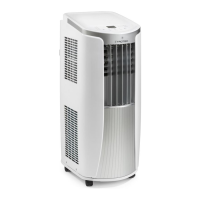
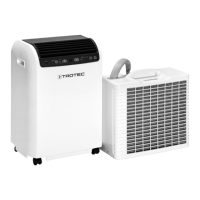
local air conditioner PAC 2000 E
Switching the device on
1. Allow the device to rest for a time.
2. Once you have completely installed the device as
described in the Start-up chapter, you can switch it on.
3. Press the ON/OFF button(17).
4. Select the desired operating mode.
The device switches off automatically when the condensation
tray is full. The water filling level LED(12) is illuminated.
Setting the operating mode
The device has the following operating modes:
• automatic operation
• cooling
• dehumidification
• ventilation
Automatic operation
In automatic operation mode the cooling process will be
regulated depending on the ambient temperature and a preset
target temperature.
This setting can be made using the remote control.
1. Press the MODE button(21) until the arrow of the AUTO
mode indication(32) appears on the remote control.
2. Set the desired fan speed using the FAN button(25).
ð The fan speed indication(29) indicates the selected fan
stage.
Cooling
In cooling mode the room will be cooled down to the desired
target temperature.
1. Press the MODE button(20) until the LED for cooling
operation(13) is illuminated.
ð Cooling mode is selected.
ð The target temperature is indicated on the segment
display(14).
2. Select the desired target temperature by use of the
Plus(18) or Minus(19) buttons. Temperatures between
16°C and 30°C can be selected.
ð The desired target temperature is indicated on the
segment display(14).
Dehumidification
In dehumidification mode the humidity level in the room is
reduced.
The temperature cannot be adjusted and the fan runs at the
lowest speed level.
Info
Remove the exhaust air hose during dehumidification,
otherwise the performance will be insufficient.
1. Press the MODE button(20) until the dehumidification
LED(15) is illuminated.
ð Dehumidification mode is selected.
ð The temperature and the fan stage are preset in this
operating mode and cannot be changed.
Info
If the device is operated in a very humid environment,
the accumulating condensate must be discharged at
regular intervals (see chapter Condensate discharge).
Ventilation
Info
Remove the exhaust air hose during ventilation.
In ventilation mode the room air is circulated, but not cooled.
1. Press the MODE button(20) until the ventilation LED(16) is
illuminated.
ð Ventilation mode is selected.
ð The current room temperature is indicated on the
segment display(14).
2. Press the FAN button(25) to set the desired fan stage.
ð The fan speed indication(29) indicates the selected fan
stage.
ð The ventilation LED(16) will be illuminated to indicate
ventilation mode.
Setting the timer
The timer has two modes of operation:
• automatic switch-on upon expiry of a preset number of
hours.
• automatic switch-off upon expiry of a preset number of
hours.
This setting can only be made using the remote control.
The function can be set in all operating modes and also during
stand-by.
The number of hours can be set in increments of 0.5hours
(0.5h to 24h).
Note
Do not leave the operating device unattended in a
freely accessible room with an activated timer.



 To Next Page