EN 7
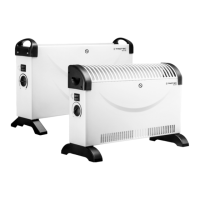
convector TCH 18 E / TCH 19 E
Operation
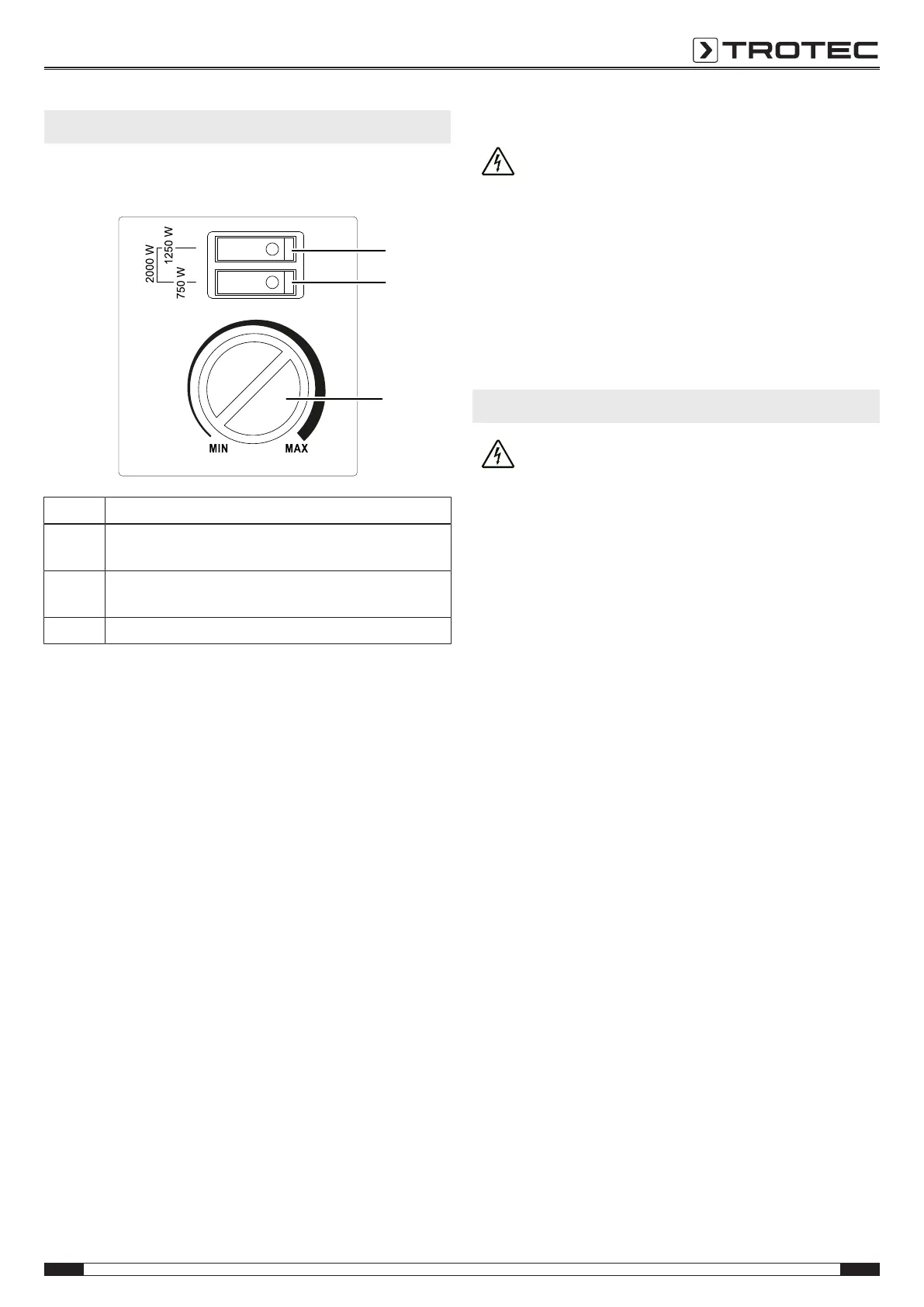
Operating elements
TCH 18 E / TCH 19 E
No. Designation
8 flip switch heating levels 1250 W
(together with flip switch 9 = 2000W)
9 flip switch heating levels 750 W
(together with flip switch 8 = 2000W)
10 Rotary switch room thermostat
Switching the device on
1. Plug the device into a sufficiently fused socket.
2. Set the flip switch (8, 9) to On to select the desired heating
capacity.
You can actuate one flip switch for a capacity of 750W(9)
or 1250W(8), or both flip switches for the maximum
capacity of 2000W.
ð The lamp at the respective flip switch only lights up
when the room thermostat is switched on.
Setting the room thermostat
1. Select the desired temperature via the infinitely variable
rotary switch(10) of the room thermostat.
ð If the room thermostat is switched on, the lamps of the
activated heating levels will light up.
The room thermostat controls the room temperature
automatically:
• When the set value is exceeded, the heating switches off.
• When the set value is fallen below, the heating
automatically switches back on.
Shutdown
Warning of electrical voltage
Do not touch the mains plug with wet or damp hands.
• Set both flip switches to Off. Turn the room thermostat's
infinitely variable rotary switch(10) counter-clockwise to
position MIN. The lamps at the flip switches turn off.
• Hold onto the mains plug while pulling the power cable out
of the mains socket.
• Allow the device to cool down completely.
• Clean the device according to the Maintenance chapter.
• Store the device according to the Storage chapter.
Errors and faults
Warning of electrical voltage
Tasks which require the device to be opened must
only be carried out by authorised specialist
companies or by Trotec.
The device has been checked for proper functioning several
times during production. If malfunctions occur nonetheless,
check the device according to the following list.
The device does not start:
• Check the power connection.
• Check the power cable and mains plug for damage. If you
notice damages, do not try to take the device back into
operation.
If the supply cord is damaged, it must be replaced by the
manufacturer, its service agent or similarly qualified
persons in order to avoid a hazard.
• Check the on-site fusing.
• Check the room temperature. The room thermostat may
have switched off, because the desired room temperature
has been reached.
• The room thermostat might be defective. Have a defective
room thermostat replaced by a specialist electrical
company.
• Check whether the overheating protection has tripped (see
chapter Safety).
• Wait for 10minutes before restarting the device. If the
device is not starting, have the electrics checked by a
specialist company or by Trotec.
The air current is reduced:
• Check the air inlet and outlet. Make sure that air inlet and
outlet are not obstructed. Remove any dirt. Observe the
minimum distance from walls or other objects according to
the technical data.
Note
Wait for at least 3minutes after maintenance and
repair work. Only then switch the device back on.


 To Next Page