EN 9
dehumidifier TTK 75 E
Setting the timer
The timer has two modes of operation:
• automatic switch-on upon expiry of a preset number of
hours
• automatic switch-off upon expiry of a preset number of
hours
The number of hours of the timer can range from 1 to 12. The
timer can be set in increments of 1hour. The function can be
set in all operating modes. It can be activated both during
operation and in standby mode.
Automatic switch-on
ü The device is switched off.
1. Press the TIMER button(15) to activate the timer.
2. Repeatedly press the TIMER button(15) until the desired
number of hours is displayed.
ð The set number of hours appears on the segment
display(9).
ð The device switches on after the predefined time.
Notes regarding automatic switch-on:
• Manually switching the device on disables the automatic
switch-on function.
• If you select 0hours, the timer will be off.
Automatic switch-off
ü The device is switched on.
1. Press the TIMER button(15) to activate the timer.
2. Repeatedly press the TIMER button(15) until the desired
number of hours is displayed.
ð The set number of hours appears on the segment
display(9).
ð The device switches off after the predefined time.
Notes regarding automatic switch-off:
• Manually switching the device off disables the automatic
switch-off function.
• If you select 0hours, the timer will be off.
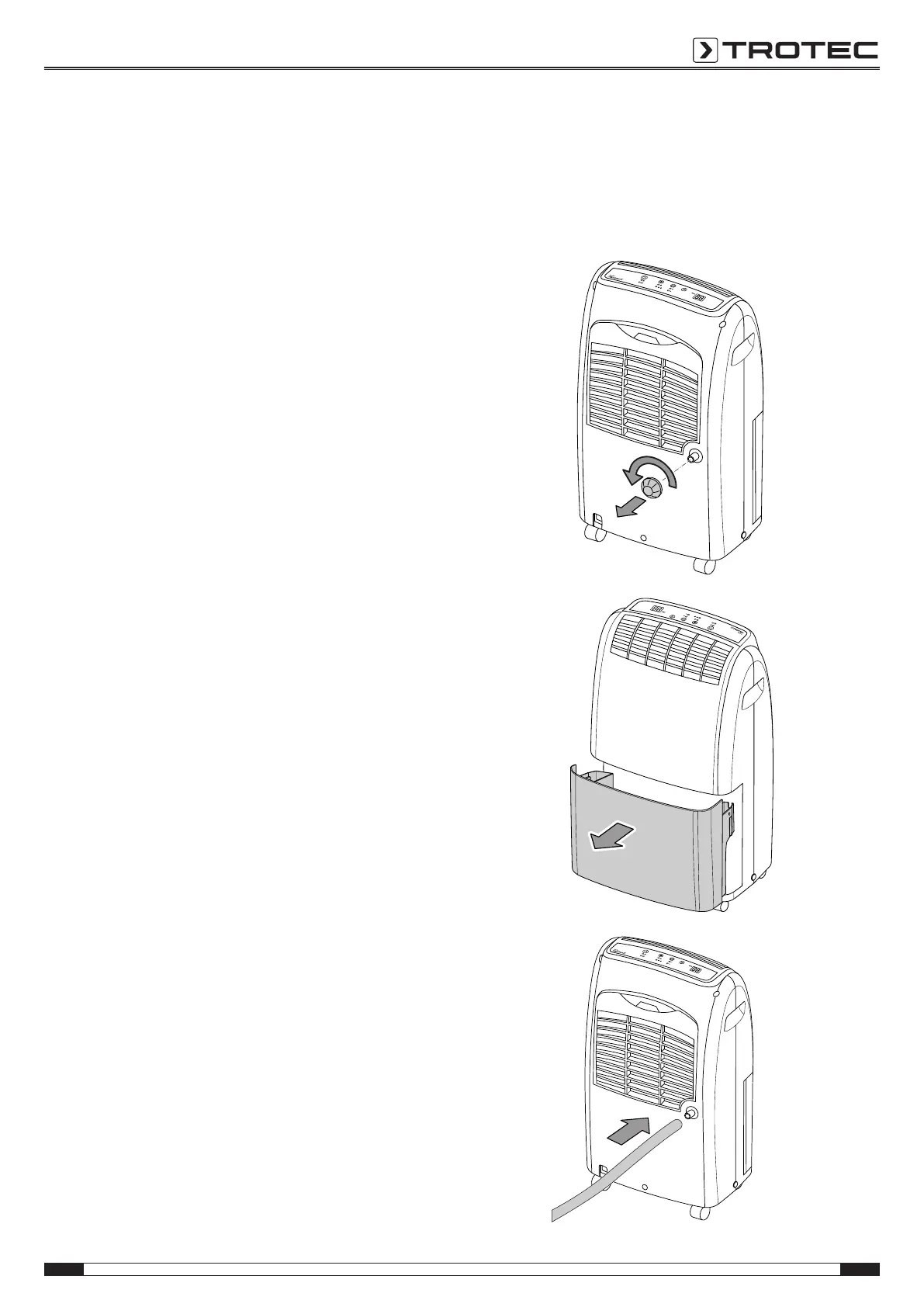
Operation with hose attached to the condensation
connection
For continuous operation or unattended dehumidification, please
connect a suitable condensation drain hose to the device.
ü A suitable hose (diameter: 1/2inch) is ready for use.
ü The device is switched off.
1. Unscrew the cap at the condensation connection.
2. Remove the condensation tank.
3. Push one end of the hose onto the hose connection.



 To Next Page