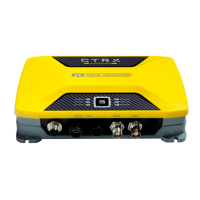
AIS CTRX GRAPHENE Class B AIS Transponder Manual
1.4E 26 CTRX GRAPHENE Manual
CONNECTION TO THE DC POWER SUPPLY
Now, the connection to the DC power supply is all that's left. The AIS CTRX
GRAPHENE can be connected to any DC power supply providing between 12V to
24V DC. The lower limit is 10V. Should the supply voltage go below 10V the ERROR
LED on the front panel will light up and the unit cease to transmit. The upper limit is
32VDC. This is the maximum allowable voltage. If the upper voltage limit is exceeded
severe damage will be made to the transponder.
The DC supply point should be chosen with care. The recommended source should
be the same as the VHF radio and/or other navigational equipment.
Even though the source may be protected with a circuit breaker the transponder must
have its own fuse protection. The recommendation is to use two 3A fuses (one on the
positive lead and one on the negative lead) to provide protection for the transponder.
Note that the negative lead (-) on the transponder is connected to the same part as
the ground on the VHF and GPS antenna connector. This means that if either
antenna (VHF or GPS) is bolted to a metal structure on board will connect this to the
negative pole of the power supply (battery). If the unit is installed in a vessel with a
metal hull it is highly recommended that a galvanic isolated DC/DC converter is
connected between the battery and the transponder to prevent galvanic corrosion.
NOTE: Be careful not to reverse the polarity of the power supply leads, this may
cause severe damage to the transponder.
The transponder is supplied with a combined Data/DC power cable. The power
supply is connected as follows:
RED and ORANGE cable (twisted together) connects to positive (+)
BLUE and BLACK cable (twisted together) connects to negative (-)
Do not forget the fuses !



 To Next Page