AIS CTRX GRAPHENE Class B AIS Transponder Manual
1.4E 31 CTRX GRAPHENE Manual
changeable. The default settings (38400 baud) is set for AIS and should NOT be
changed.
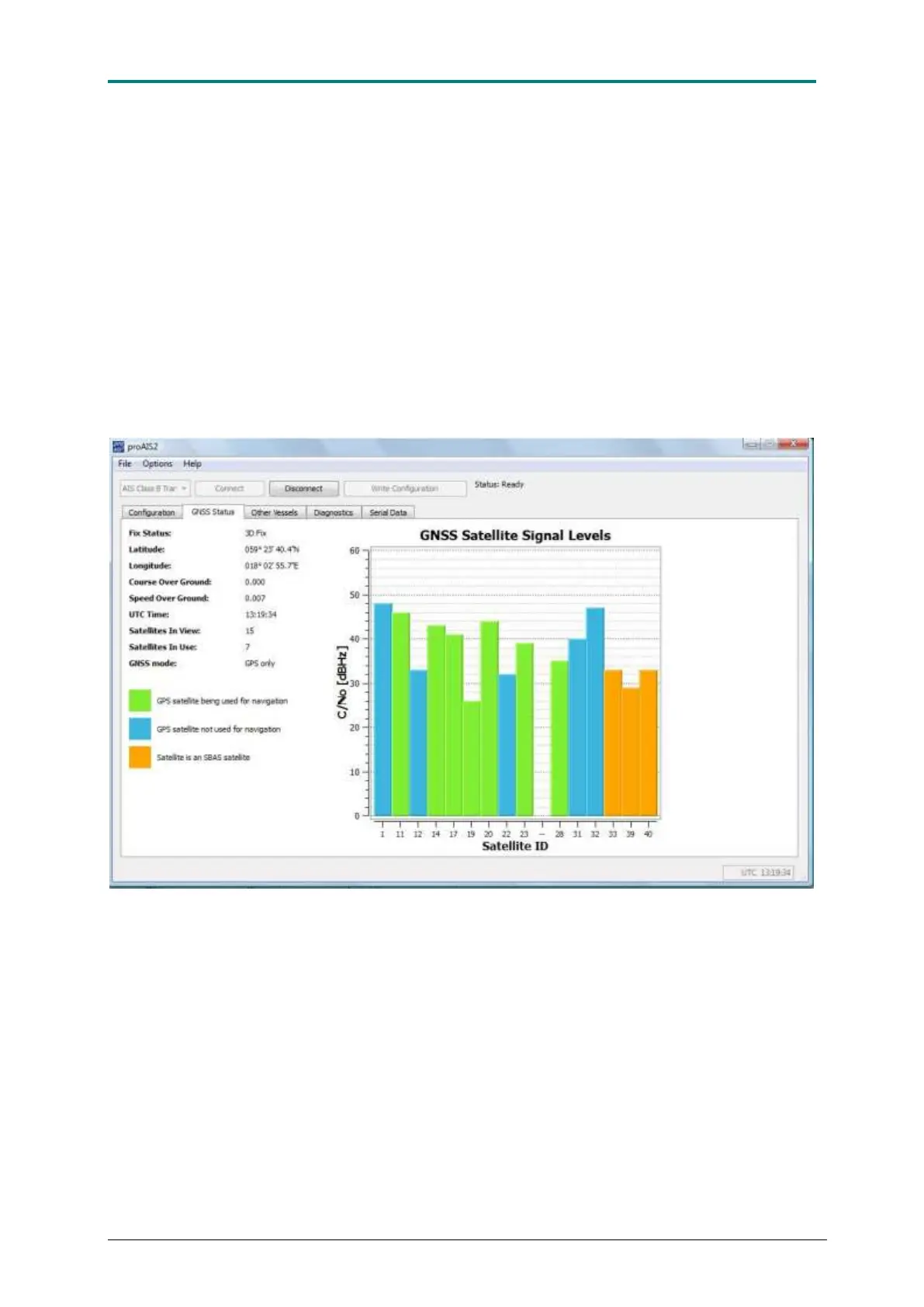
The next menu is GNSS status which is a valuable tool for monitoring the built-in
GPS receiver function. This tool can conveniently be used during installation to check
that the GPS antenna has been placed in a good location for reception and that
cables and connections are properly put together and not damaged. When the
transponder receives signals from the satellites a vertical bar will appear representing
the received satellite. The bar will change colour depending on the status of the
satellite. When the receiver is locked to a satellite the bar will change from blue to
green, indicating that the satellite is used for navigation. If SBAS is used the satellites
involved in tracking the SBAS data will show up in yellow.
The reception quality is displayed as a C/N value (carrier to noise), which means that
the higher the value, the higher the signal quality is. A mean value for a reasonable
reception quality should be not less than 30 dBHz.
Figure 16 AIS CTRX GRAPHENE GNSS Status field showing satellites being used as well as not being used plus
DGNSS satellites using SBAS.
Selecting the tab Other Vessels” provide you with an easy way to check that your
AIS CTRX GRAPHENE receives data from other AIS transponders. By clicking on
each column, the table can be arranged in falling or increasing order depending on
the column of interest.



 To Next Page