6
8. wiFi aPPlication
A
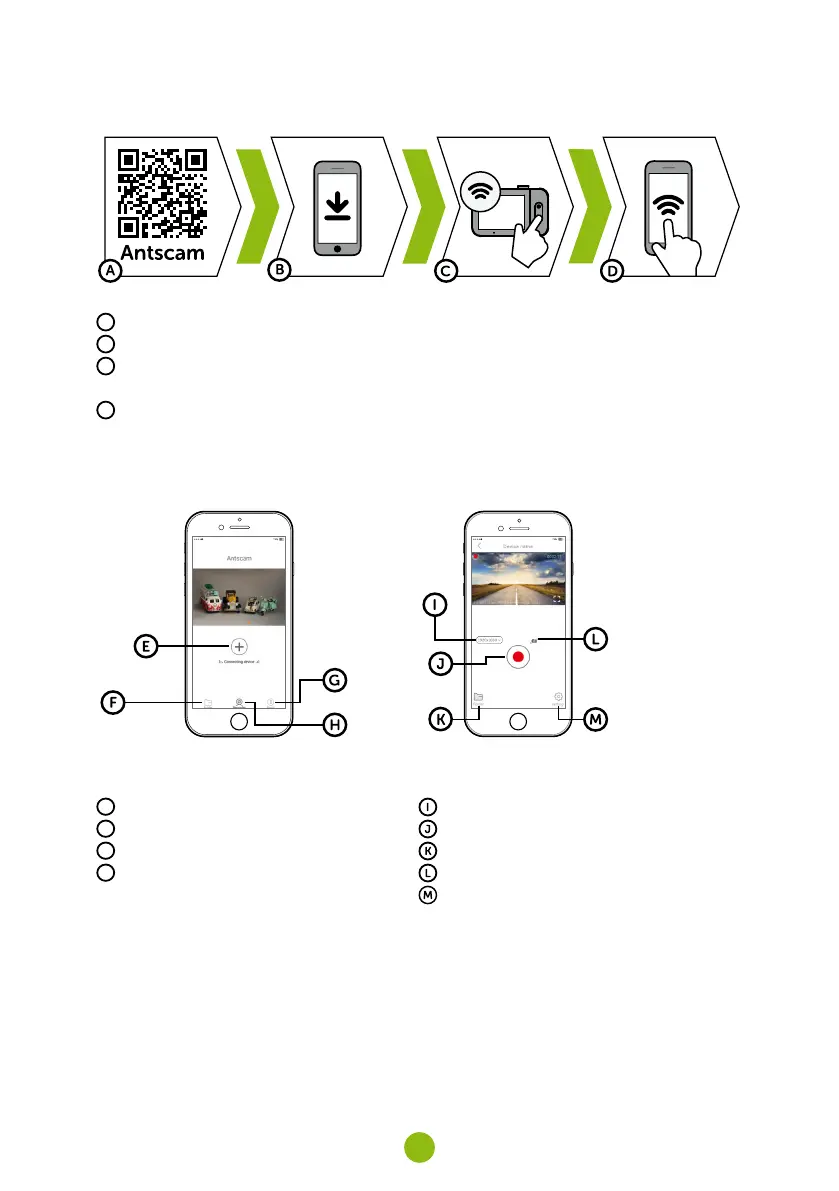
Scan the QR code or search for Antscam on the App Store/Google Play
B
Install the app on your smartphone or tablet
C
Turn on Wi-Fi on the camera - Camera menu -> Wi-Fi -> On -> Network Name (SSID) and Password
(PWD) will appear on the camera display
D
On the phone/tablet, connect to the Wi-Fi network with the camera name, enter the password (facto-
ry setting- 12345678), start the Antscam app and click the „+“ button to connect the camera
antscam aPP controls:
without connection
E
Connect the camera
F
Files dragged to your phone
G
Information
H
Camera
with connection
Change resolution
Start/stop recording
Files in the camera
Take photo
Camera settings



 To Next Page