Support: 855-473-7449 or 408-943-4100 Email: support@ixsystems.com
Page 9
4.3 Motherboard Slot Cover Removal
It is recommended to keep the motherboard tray in place when installing the net-
work card. This allows the network card to properly slide into the bracket retention
slot on the bottom of the chassis. You might also need to gently move cables aside
to make room for the card, but take care to ensure no wires are pinched.
4.4 Network Card Installation
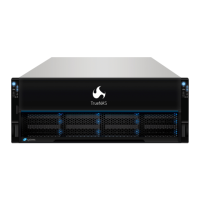
Align the network card with the PCIe slot and press down on the center of the card
until the gold connectors are rmly seated inside the PCIe slot (1). Some of the con-
nectors can extend past the edge of the PCIe slot. The bottom of the network card
bracket will slide through a small retention slot on the bottom of the chassis.
Align the network card bracket with the slot retention screw hole and use a slot cov-
er screw to secure the network card to the back panel (2).
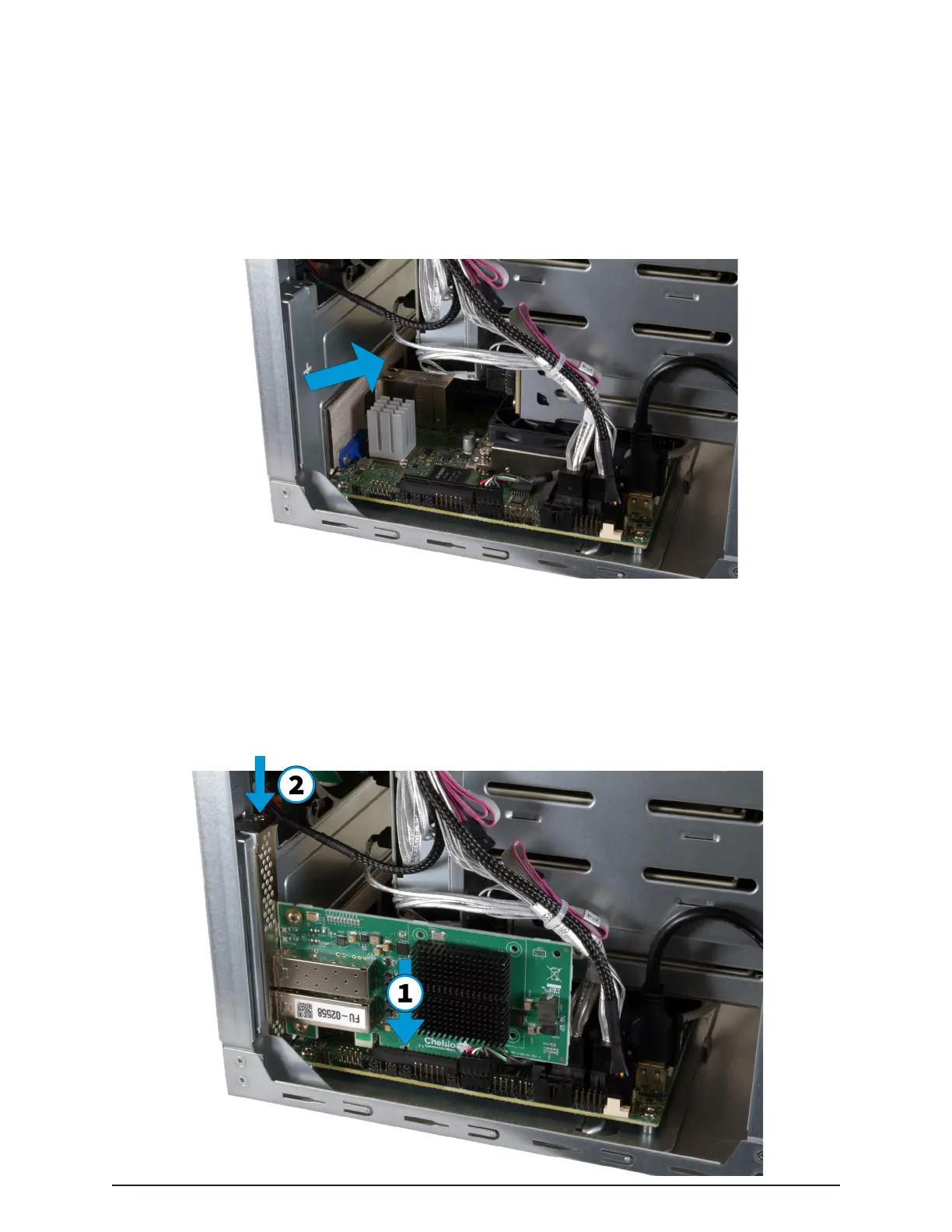
With the system side panels removed (2.2), locate the PCIe slot on the mother-
board. Punch out and discard the network slot cover from the system I/O shield.


 To Next Page