Support: 855-473-7449 or 408-943-4100 Email: support@ixsystems.com
Page 10
5 Installing the Motherboard Tray
Follow anti-static precautions and ensure all modules and cables are rmly seated
in the motherboard before inserting the tray into the system. Some cables might
have to be re-attached when the tray is partially inserted into the system. Be very
gentle with the tray and cables, taking care not to dislodge any connections or
pinch any cables inside the system.
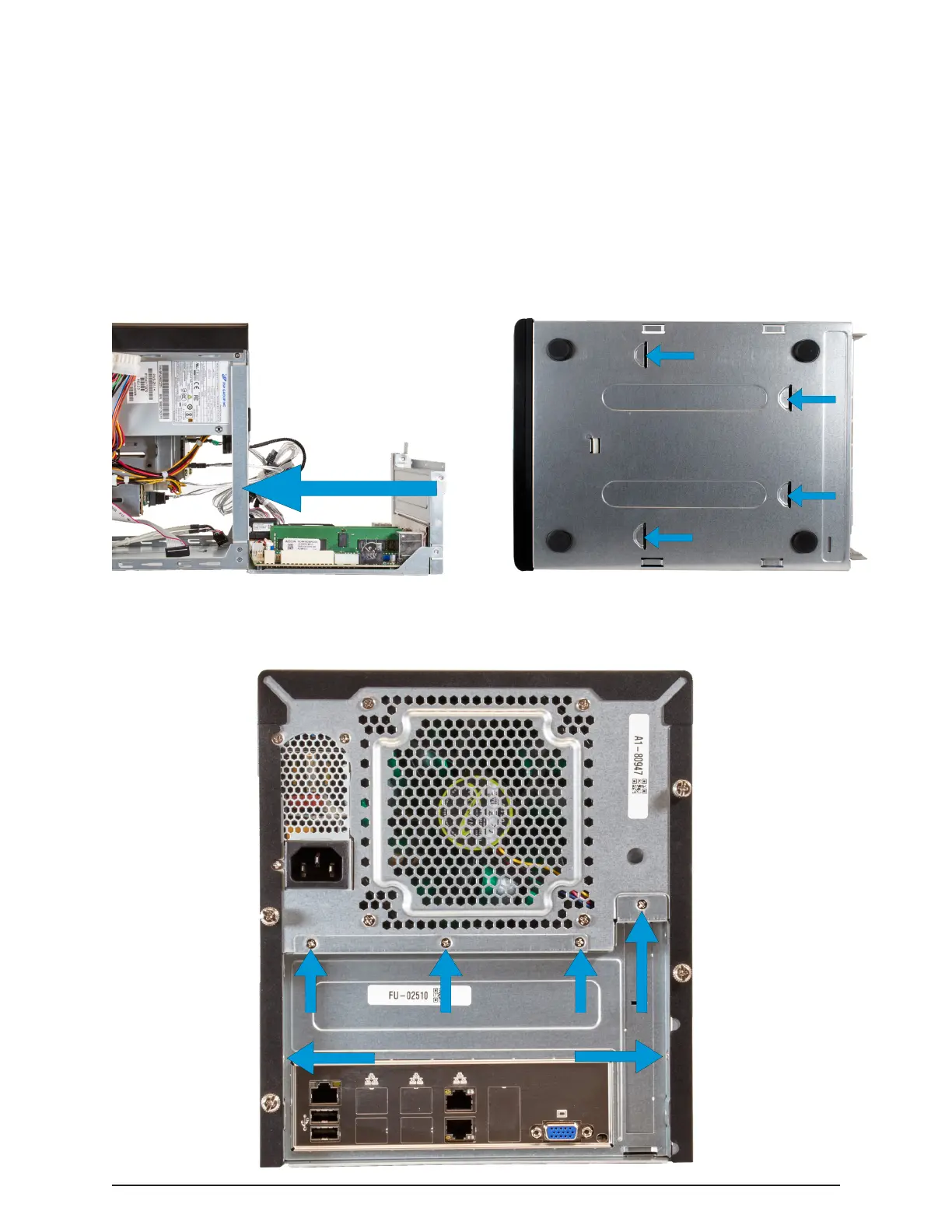
The tray has anchor tabs on the bottom that slide into slots on the bottom of the
Mini chassis. Make sure these tabs are aligned with the chassis slots and rmly
push the motherboard tray into place. This can take some eort as the tray is de-
signed to t snugly within the Mini chassis.
Re-attach the screws on the back of the chassis to secure the motherboard tray in
place.


 To Next Page