Support: 855-473-7449 or 408-943-4100 Email: support@ixsystems.com
Page 5
2.3 Removing the Motherboard Tray
Space inside the chassis is very limited, and you might nd additional room is re-
quired to add or remove components from the motherboard. The Mini mother-
board is attached to a tray that can be unsecured and slid out from the back of the
system.
Warning!
Be very careful when removing or inserting the motherboard tray into the sys-
tem. It is recommended to note where cables are connected to the motherboard
and disconnect them as needed to safely remove the motherboard from the
system. Be sure to follow all anti-static precautions.
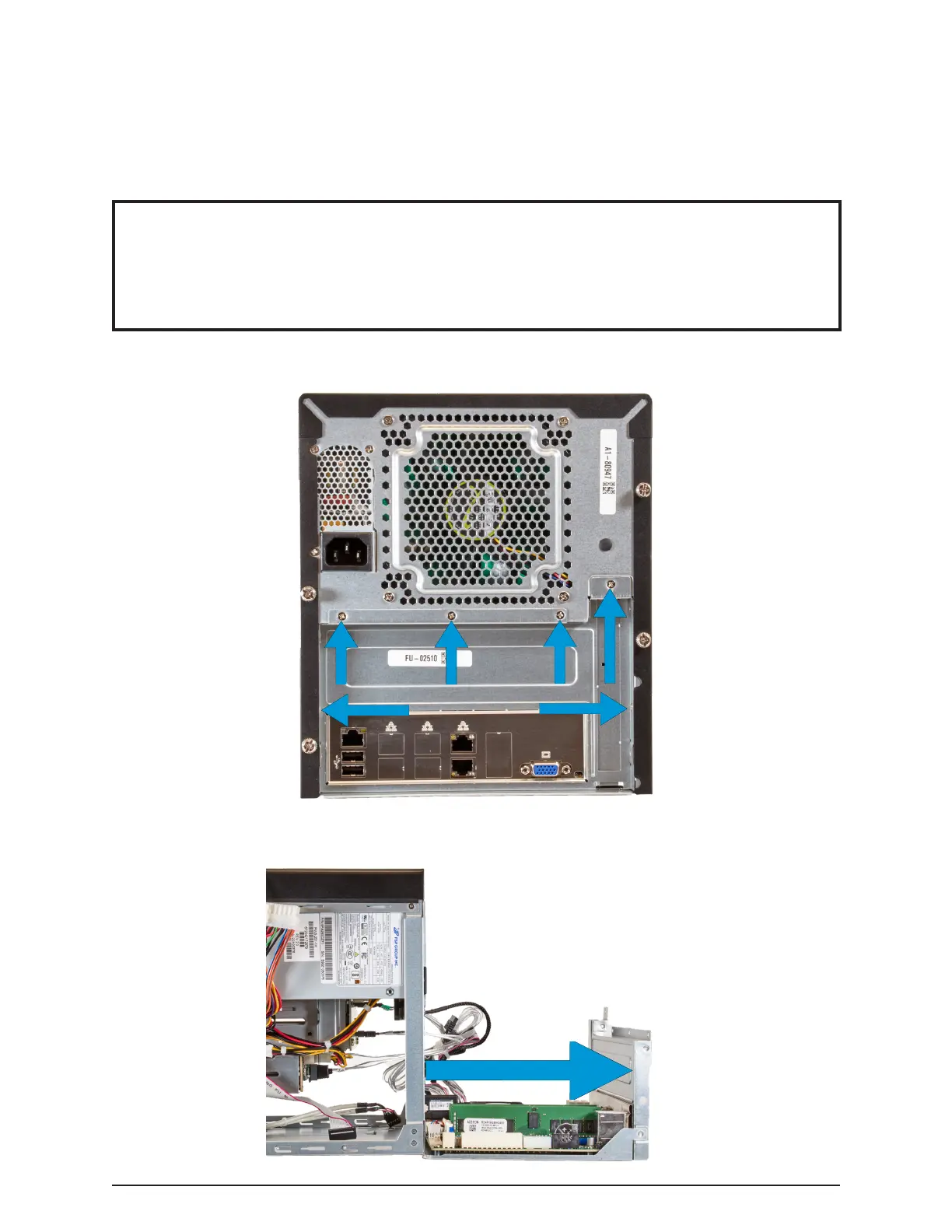
To unsecure the motherboard tray from the Mini chassis, unscrew each retaining
screw from the back of the system.
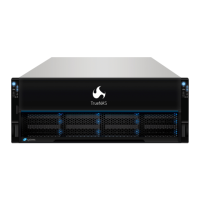
Very carefully pull the tray out of the back of the system. Continously check that no
wires are being pulled or caught on other components inside the system.


 To Next Page