Support: 855-473-7449 or 408-943-4100 Email: support@ixsystems.com
Page 6
3 Upgrading Memory
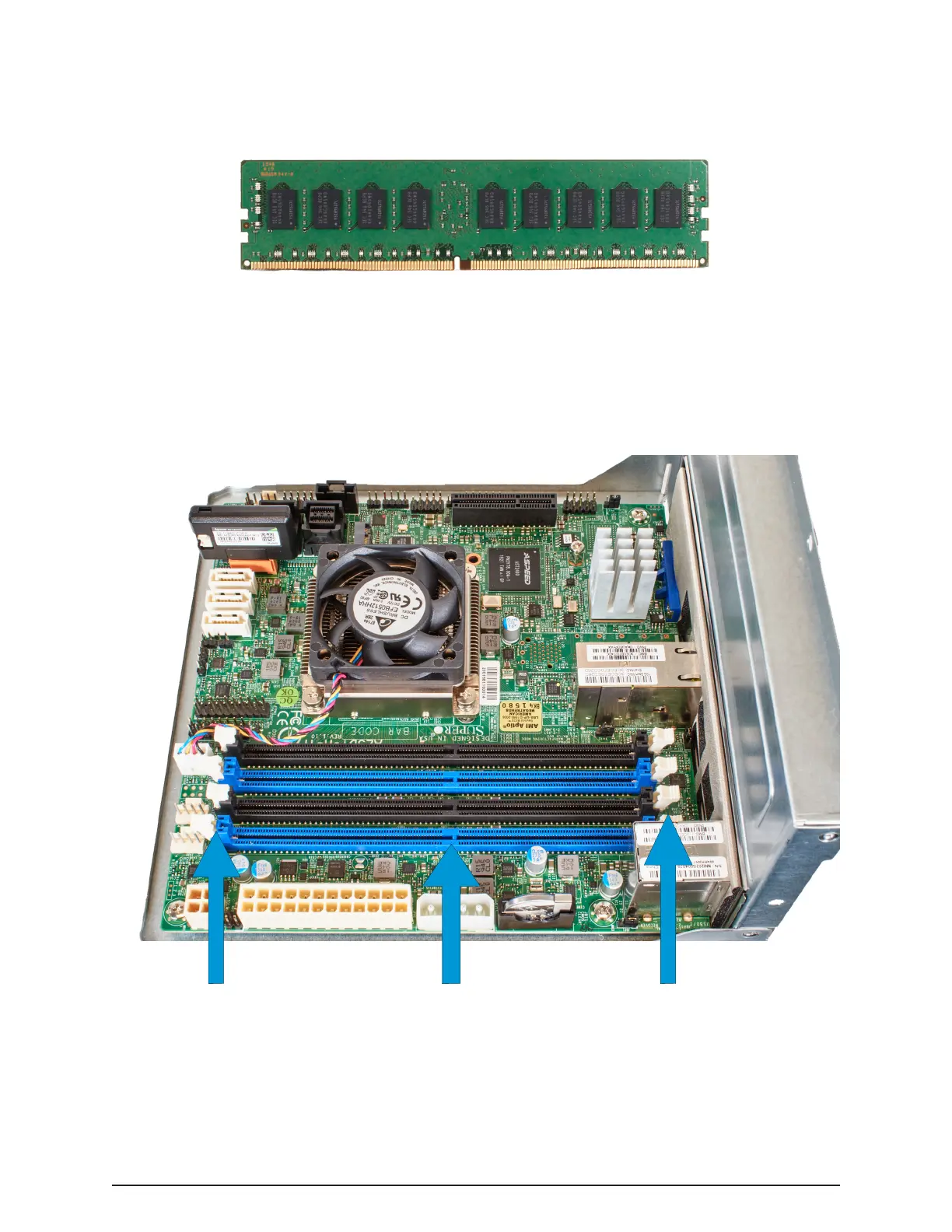
A memory upgrade includes one or more inline memory modules:
The Mini X+ motherboard has four memory slots, color-coded as blue and black
pairs. The default memory is typically installed in the blue slots, with any memory
upgrades installed in the black slots.
Memory Slots
Latches
Latches
Each slot has latches on the ends to secure the memory in place. These latches
need to be pushed open before installing the memory, but will automatically close
as the module is pushed into place.


 To Next Page