14
ENG
Pairing SensorPod and Purifier
The SensorPod communicates with the purifier using radio frequency signals, and will be paired on the
production line and ready for use when you open the box. In the rare event that the signal is interrupted,
you can repair the connection in just a few easy steps. You’ll know that the signal is lost because:
a) SensorPod’s LED will blink if the purifier is unplugged or out of range; OR
b) The Purifier’s sensor indicator light and air quality color/number indicators will blink for 1
minute and turn off if the SensorPod is unplugged or out of range.
1. Unplug the SensorPod.
2. HOLD the Power Button on the purifier for 3 seconds, when you should hear two chimes.
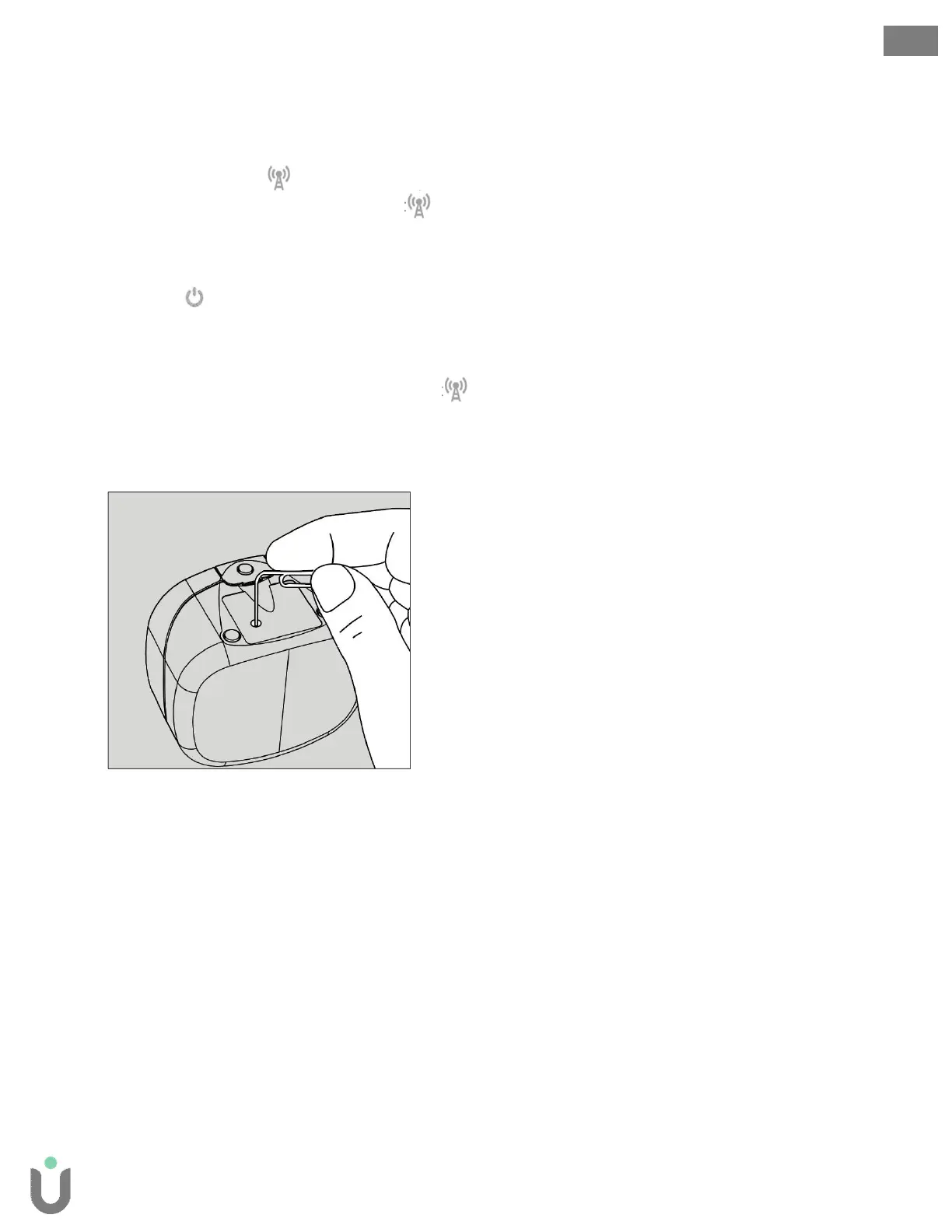
3. Plug-in the SensorPod and use an item with a small point (paper clip) to press and HOLD the pairing
button underneath the SensorPod for 3 seconds.
4. The connection should be established. You’ll know because the LED on the SensorPod should light
solid and the purifier’s sensor indicator light and air quality color/number indicators should be
on.
Note: the purifier’s air quality color/number indicators will cycle for 6-8 seconds as they do each time
the purifier is powered on.


 To Next Page