5
ENG
Getting started
Step 2. Plug-in and turn on the purifier
Simply press the Power Button and the purifier will begin cleaning your air!
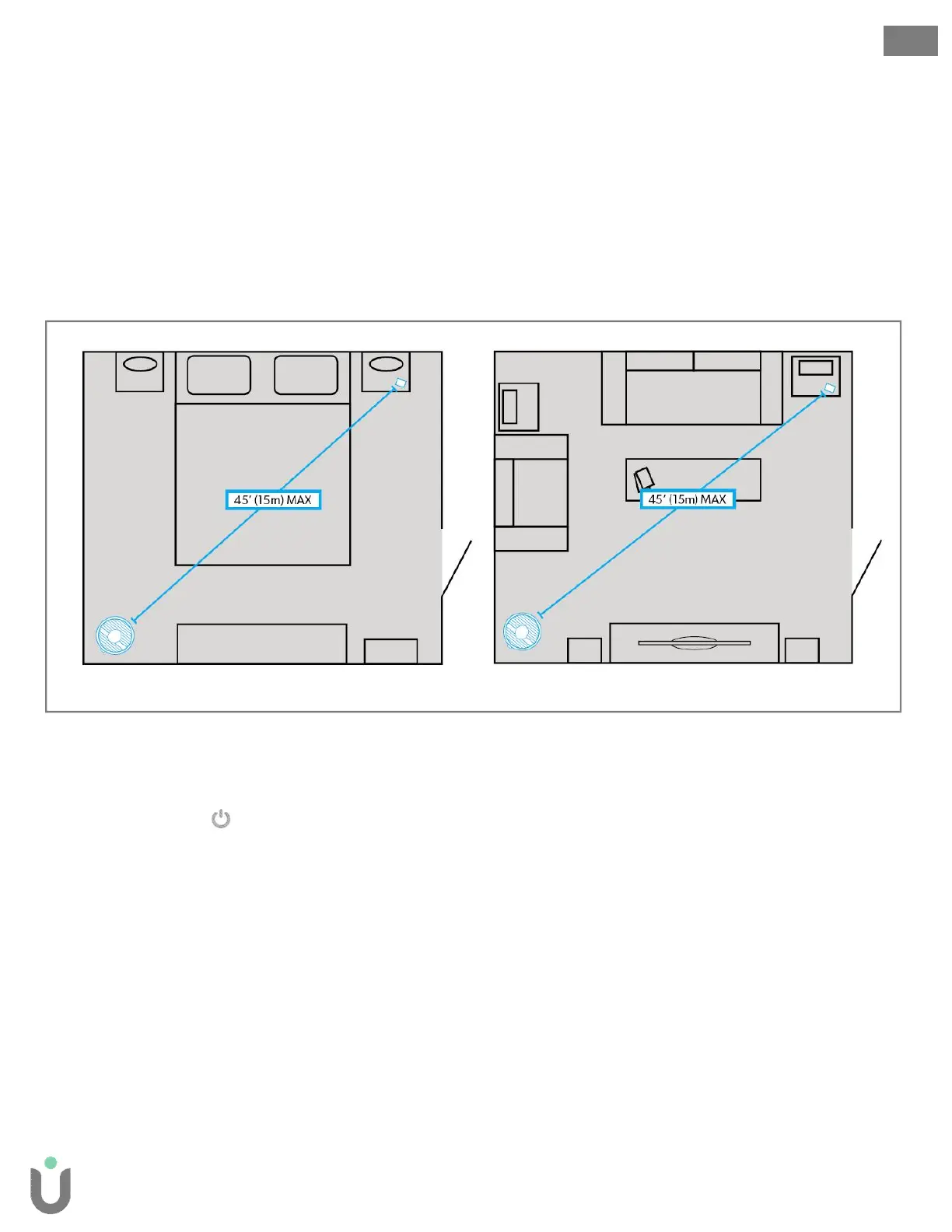
Step 1. Placement of the purifier and SensorPod
Place the purifier on a flat surface along a side wall, free from obstructions:
where air can flow freely into the purifier from all sides
avoiding furnishings like bedding and curtains, as well as sources of heat or moisture.
Place SensorPodon a counter or table away from the purifier to increase coverage across the room.
Step 3. Plug-in SensorPod
Air quality readings will immediately begin transmitting to the purifier.
Start living with cleaner air!
The purifier will automatically adjust fan speeds based on the air quality readings from SensorPod,
and proprietary PureDirect™ technology will deliver purified air throughout the room!
Sample Bedroom Sample Living Room


 To Next Page