3. OPERATING INSTRUCTIONS page 10
Model PRM-470B
3. OPERATING INSTRUCTIONS
3.1. POWER-UP AND SELF TEST
3.1.1. Power On:
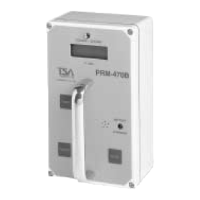
For power-up, press and hold the power switch for 2 seconds. It is the dark blue area on the front
panel marked "POWER". The instrument will sound a series of beeps to indicate that the power
on signal has been latched.
3.1.2. Self Test:
The instrument will perform a display test, with all segments and decimal points "ON" for 2
seconds, accompanied by the audible alarm.
The instrument will then display the current settings for 3 seconds each.
If any of the power-up tests fails, an error code will be displayed. If no errors are present, the
background countdown will be displayed.
3.1.3. Power Off:
Press and hold the power switch for 2 seconds to turn the instrument off. Power off will be
acknowledged by displaying "----".
NOTE:
The instrument will not turn off until it has completed its power-up tests and displayed either an
error code or the background countdown.


 To Next Page