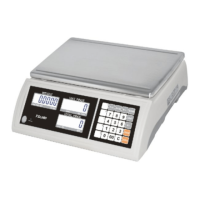
JC series dual counting scale user’s guide
- 17-
P Cont
Sets the RS-232 interface to
print continuously and the
accumulation function is
disabled.
SEr r E
Sets the RS-232 to print
continuously the weight
only.(for remote display)
P bAU d
b 600
b 1200
b 2400
b 4800
b 9600
Sets the required baud rate
(speed for the RS- 232
communications).
Default rate is 4800.
PAritY 8 n 1
7 E 1
7 o 1
8 data bits, no parity
7 data bits, even parity
7 data bits, odd parity
ptype tpup
lp50
:
Tpup TSCALE Tpup printer
:
Lp50 TSCALE lp-50 printer
U id “U id”
“ Abc234”
“ “
Shows the current user ID (if any).
Enter a new User ID as described in the description
under the PLU section. The ID can be alphanumeric,
but is limited to 6 characters.
SC id “Sc id”
“ Abc234”
“ “
Shows the current scale ID (if any).
Enter a new Scale ID as described in the Description
under the PLU section. The ID can be alpha-numeric
but is limited to 6 characters.
tECH
Allows access to the Technical parameters using a
password. Not normally accessed by user.


 To Next Page