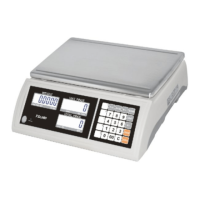
JC series dual counting scale user’s guide
- ii -
CONTENTS
SECTION 1 INTRODUCTION.............................................……………......................1
SECTION2 TECHNICAL SPECIFICATIONS ...................……...............................2
2.1 SPECIFICATIONS FOR THE LOCAL SCALE................………............................ 2
2.2 SPECIFICATIONS FOR THE REMOTE SCALE ..............……........................... 2
2.3 COMMON SPECIFICATIONS ............................................……......................... 2
SECTION3 INSTALLATION........................................………..................................... 3
3.1 LOCATING THE SCALES .............………............................................................ 3
3.2 SETTING UP THE SCALES...............………........................................................ 3
3.2.1 Setting up the local scale...............………........................................................ 3
3.2.2 Setting up the remote scale...............………....................................................... 4
3.2.3 Remote scale connection...............………........................................................ 4
3.2.4 Remote scale setup.……..............………....................................................…...4
SECTION4 KEY DESCRIPTIONS ..............................……....................................…..6
SECTION5 DISPLAYS...................................................…..................................…....7
5.1 WEIGHT WINDOW ......................................…...............................................…... 7
5.2 UNIT WEIGHT WINDOW...............................…..........................................…......7
5.3 COUNT WINDOW.............................................…..........................................…....7
SECTION6 OPERATION .........................................….......................................……..8
6.1 ZEROING AND TARING THE DISPLAY ...........................……..........................8
6.1.1 Zeroing ........…………………………………………..........……..........................8
6.1.2 Taring ......…………………………………..……………........……..........................9
6.1.3 Taring the remote scale................…………………….........……..........................9
6.2 MEMORY FUNCTIONS...............................................….................................... 10
6.2.1 Manual accumulation .................................................….................................. 10
6.2.2 Automatic accumulated total.....................................……................................. 10
6.3 PARTS COUNTING.........................................................…................................ 10
6.3.1 Weighing a sample to determine the Unit Weight .....……............................... 11
6.3.2 Entering a known Unit Weight ......................................…............................... 11
6.3.3 Automatic update of unit weight....................................….............................. 11


 To Next Page