Getting Started 2–5
Supplying Power to the Remote Airborne
Particle Counter
Power for the particle counter is supplied by the 24 volt (P/N
6001584) power supply accompanying the instrument.
Using DC Power
To supply DC power to the particle counter:
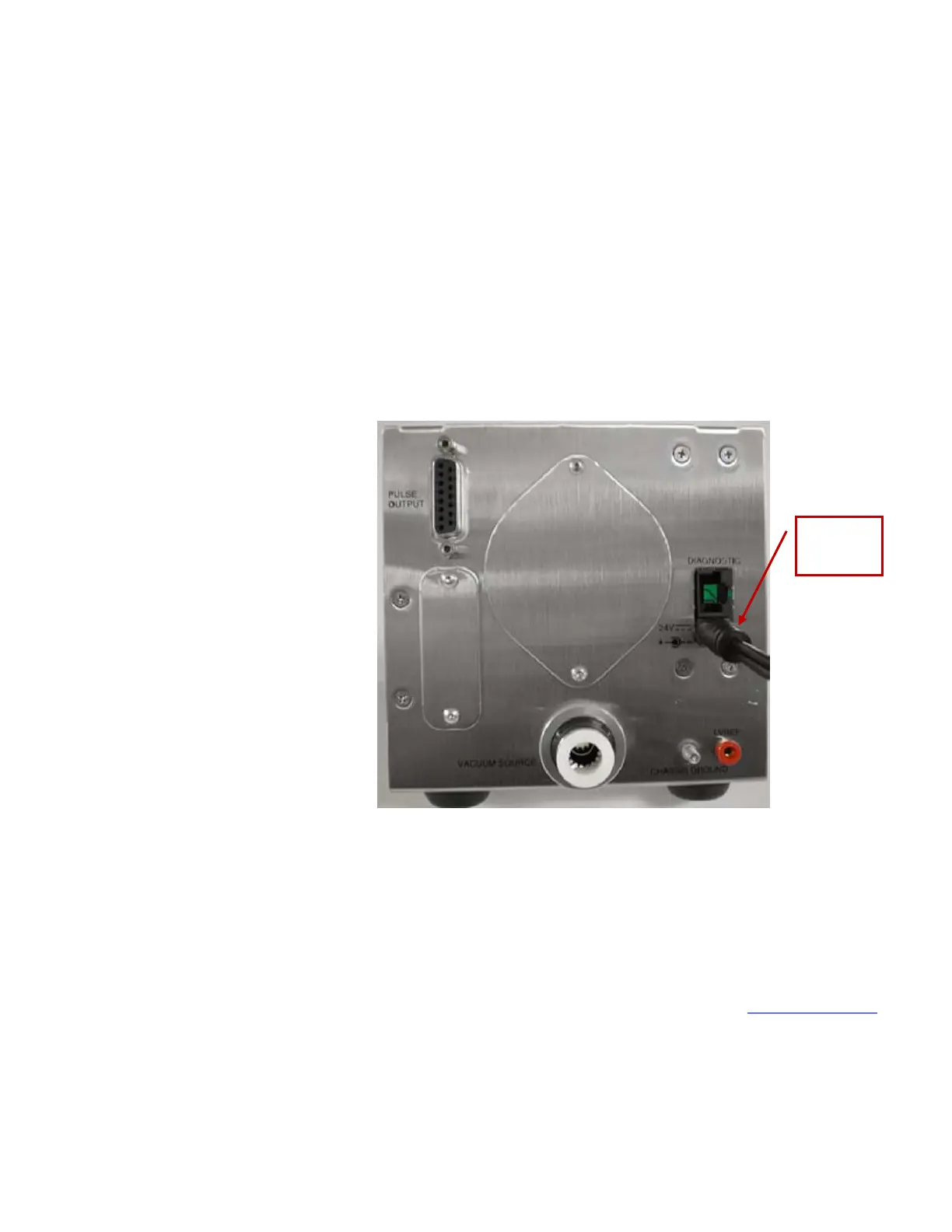
1. Connect the 24 VDC connector to the instrument at the power
entry connector as shown in the figure below.
2. Connect the appropriate power cord to the 24 VDC supply and
plug it into a suitable AC outlet. The power light on the
particle counter should illuminate.
Connecting the Remote Airborne Particle
Counter to a Computer
There are two options for communicating with particle counter:
• RS-232 through the diagnostic port
• RS-422 through the pulse output
For more information, please refer to Chapter 3, Communications
.
24 VDC
Power
Supply



 To Next Page