EasyManua.ls Logo

TSI Instruments VELOCICALC 5725 - User Manual

TSI Instruments VELOCICALC 5725
19 pages
Print Icon
To Next Page IconTo Next Page
Loading...
Ventilation Testing
VELOCICALC
®
Air Velocity Meter
Model 5725
Operation and Service Manual
ENERGY AND COMFORT

Questions and Answers

  • J
    Jacqueline OwensJul 31, 2025
    What to do if my TSI Instruments VELOCICALC 5725 has no display?
    • K
      Kenneth RochaJul 31, 2025
      If your TSI Instruments Measuring Instruments has no display, there are several potential causes: the unit may not be turned on (switch it on); the batteries may be low or dead (replace batteries or plug in the AC adapter); or the battery contacts may be dirty (clean the battery contacts).
  • B
    Brandon PatelAug 10, 2025
    What to do if an Instrument Error message appears on my TSI Instruments Measuring Instruments?
    • D
      Deborah DuffyAug 10, 2025
      If an Instrument Error message appears on your TSI Instruments Measuring Instruments, it could be due to a couple of reasons. The memory might be full, in which case you should download the data if you want to keep it, and then delete all the memory. Alternatively, there may be a fault in the instrument, requiring factory service.
  • B
    Brandon GallagherAug 20, 2025
    Why is the velocity reading fluctuating and unstable on my TSI Instruments VELOCICALC 5725 Measuring Instruments?
    • C
      Cameron SanchezAug 20, 2025
      The unstable velocity reading on your TSI Instruments Measuring Instruments could be due to fluctuating flow. Try repositioning the probe in a less-turbulent flow or use a longer time constant.

Summary

Unpacking and Parts Identification

Carrying Case

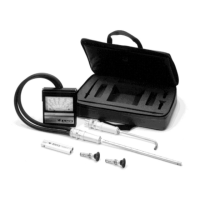
Details about the carrying case included with the instrument.

Instrument and Accessories

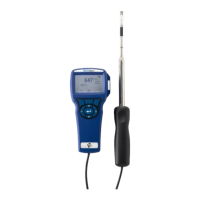
Information about the main air velocity meter unit and its included accessories.

Software and Cable

Description of the USB cable and CD-ROM with downloading software.

Setting-up the VELOCICALC

Powering the Instrument

Instructions on powering the Model 5725 using batteries or AC adapter.

Battery Installation

Guide on how to insert AA batteries into the instrument.

Using the AC Adapter

Steps for connecting and using the optional AC adapter.

Handle and Extension Attachment

Procedure for attaching the instrument's handle and articulating extension.

Connecting to Computer

Steps to connect the instrument to a computer for data download.

Instrument Operation

Keypad Functions

Explanation of the function of each key on the instrument's keypad.

Common Terms

Definitions of frequently used terms within the manual.

Menus and Configuration

Overview of menus, display setup, general settings, and flow setup.

Display Configuration

How to configure the parameters displayed on the running screen.

General Instrument Settings

How to adjust general instrument settings like language and units.

Flow Setup Configuration

Procedure for configuring flow measurement types (duct, area).

Data Logging Setup

Instructions for selecting measurements and setting log modes.

Data Management and Download

Methods for deleting data, checking memory, and using LogDat2 software.

Maintenance Procedures

Recalibration Recommendations

Recommendations and procedures for annual instrument recalibration.

Case Cleaning and Care

Guidance on cleaning and maintaining the instrument and storage cases.

Instrument Storage

Best practices for storing the instrument to prevent damage.

Troubleshooting Common Issues

Troubleshooting Table

A table listing common symptoms, causes, and corrective actions.

Technical Specifications

Velocity and Duct Size

Range and accuracy details for velocity measurements and duct size.

Flow Rate and Temperature

Specifications for volumetric flow rate and temperature measurements.

Instrument Operating Range

Details on instrument temperature range and operating conditions.

Data Storage and Logging

Information on data storage capacity, logging interval, and time constant.

Physical and Power Specifications

Meter weight, external dimensions, and power requirements.

TSI Instruments VELOCICALC 5725 Specifications

General IconGeneral
Velocity Accuracy±3% of reading or ±0.015 m/s (±3 ft/min), whichever is greater
DisplayBacklit LCD
Resolution0.01 m/s (1 ft/min)
Storage Temperature Range-20 to 60°C (-4 to 140°F)
ConnectivityUSB
Temperature Range14 to 140 °F (-10 to 60 °C)
Temperature Accuracy±0.3°C (±0.5°F)
Data LoggingYes
Probe TypeTelescoping probe
PowerFour AA-size batteries or optional AC adapter
Operating Temperature Range5 to 45°C (40 to 113°F)
Dimensions8.4 x 17.8 x 4.4 cm (3.3 x 7 x 1.75 in)
Weight0.27 kg (0.6 lbs)

Related product manuals